Steam Controller: A Comprehensive Overview and Quick Start Guide
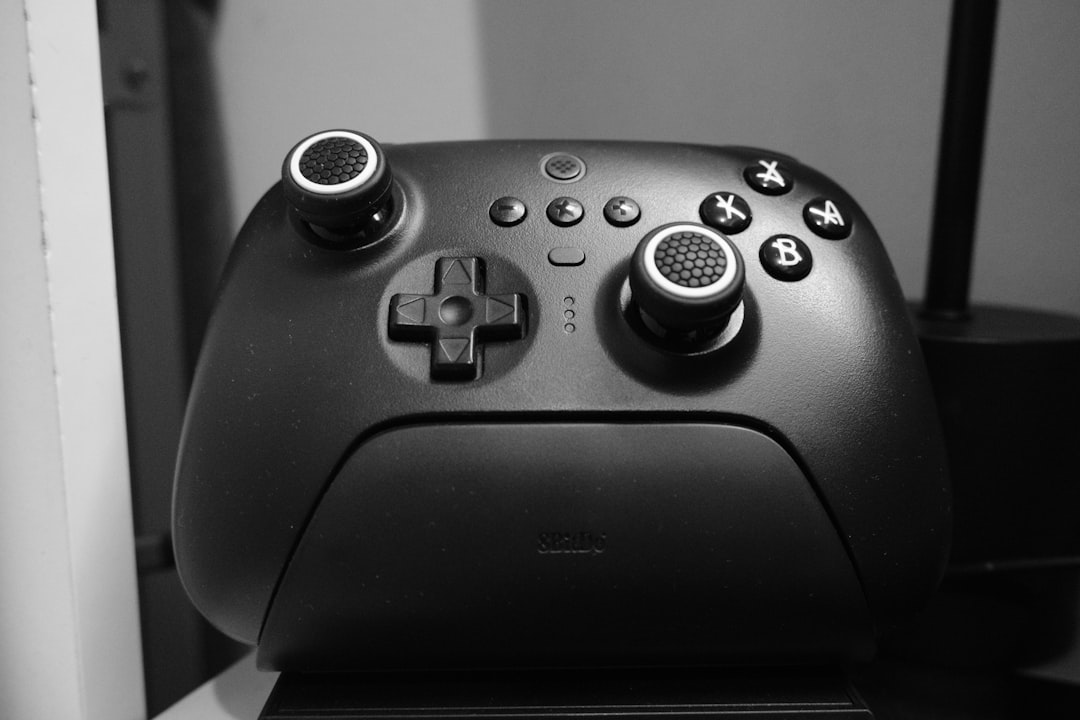
Valve's new Steam Controller combines innovative features like magnetic thumbsticks, trackpads, and GripSense technology for an advanced gaming experience.
The long-anticipated Steam Controller has finally made its way into the gaming peripherals market, promising a fresh take on how gamers interact with their favorite titles. Designed by Valve, the controller introduces a host of advanced inputs, seamless connectivity, and customization options. Here’s everything you need to know to get started and how the device stands out in today’s saturated landscape of controllers.
What’s Inside the Box
Unboxing the Steam Controller reveals a meticulously designed package. Inside, you’ll find:
- The Steam Controller itself, equipped with next-gen magnetic thumbsticks.
- The Steam Controller Puck, which doubles as a wireless receiver and charging station.
- A USB-A to USB-C cable for firmware updates and wired play.
- An informational booklet to guide new users.
The Puck is particularly noteworthy. It simplifies wireless connectivity and offers a fast, reliable foundation for your sessions. This design aligns with Valve’s goal to make the controller effortless to use while still delivering peak performance.
Setting Up Your Steam Controller
Getting started is a breeze. Begin by connecting the USB-C cable to the Puck and plugging the other end into your PC. Once powered, pressing the Steam button on the controller activates it, establishing a secure wireless connection with the Puck. A solid white LED on the controller confirms the connection.
For gamers familiar with Valve’s Steam Deck, the interface will feel instantly recognizable. Pressing the Steam button enters Big Picture Mode, Steam’s controller-focused UI, ensuring immediate integration with your library of games. This mode is built to enhance the controller experience, allowing you to navigate effortlessly and access titles designed with controller support in mind.
Software Updates: Keeping Things Current
Like the Steam Deck, the controller benefits from routine updates to refine its performance and introduce new features. During your initial setup, it’s crucial to install the latest firmware. This process is straightforward:
- The Puck updates first while connected to your PC via USB.
- Once complete, unplug the cable from the Puck and connect it to the controller to update its firmware.
- After the update, reconnect the cable to the Puck for full functionality.
This ensures compatibility improvements, enhanced performance, and access to the latest innovations from Valve.
Features and Advanced Inputs
What sets the Steam Controller apart from its competitors are its thoughtful and advanced input methods. Alongside familiar gamepad controls, it introduces new technologies to elevate gameplay experiences:
Magnetic Thumbsticks
Unlike traditional analog sticks, these thumbsticks are designed for greater durability and responsiveness. Valve promises a longer lifespan and a smoother feel, ideal for precision gaming.
Trackpads
Two trackpads grace the controller, offering flexible use cases. These include:
- Acting as a mouse substitute for precise camera control.
- Enabling intuitive gameplay in titles like deck-building games or 4X strategy games.
- Supporting radial menus for rapid access to in-game functions. Each trackpad is fully customizable, allowing gamers to tailor their input to individual preferences.
Gyro Sensor
The built-in gyro sensor tracks the movement of the controller for motion-based input. This feature caters to games requiring subtle aiming adjustments or immersive control schemes.
Grip Buttons
Four grip-mounted buttons can be remapped to any function, enhancing versatility. Toggling these buttons on or off provides additional adaptability for specific playstyles.
Capacitive Grip Sensors
A standout feature, the capacitive GripSense technology detects whether your hands are actively touching the controller’s grips. By extending your fingers away from the grip, you can momentarily deactivate the sensor, enabling gameplay innovations like:
- Resetting gyro input: Perfect for centering motion controls without pausing gameplay.
- Triggering alternate inputs: For example, a light finger lift could open a map or bring up an in-game weapon wheel. GripSense sensitivity is adjustable, ensuring a balance between responsiveness and comfort.
Practical Applications
The Steam Controller’s customization capabilities make it a compelling option for various use cases. Competitive FPS players can fine-tune gyro and trackpad settings to enhance aiming precision, while those engaging with strategy games can use the trackpads for fluid, mouse-like input. Gamers who enjoy remapping keys and personalizing layouts will appreciate the controller's versatility.
Charging and Battery Management
When it’s time to recharge, the process is as intuitive as other aspects of the device. Place the controller onto the Puck, where it magnetically snaps into place, initiating charging. This design eliminates the hassle of aligning connectors, letting you focus on gaming without worrying about downtime.
The Future of the Steam Controller
Valve aims to keep the Steam Controller relevant with continuous firmware updates, much like its approach with Steam Deck. These updates will not only enhance existing functionalities but potentially unlock new possibilities. By creating a peripheral this flexible, Valve is clearly targeting an audience that values customizability, innovation, and convenience.
Final Thoughts
The new Steam Controller is a significant step forward for PC gaming peripherals. By combining familiar controls with groundbreaking features like magnetic thumbsticks, customizable trackpads, and the unique GripSense technology, Valve delivers an innovative device poised to cater to a wide range of gamers. While it may take some adjusting to fully explore its potential, the result is a controller that’s both adaptable and future-proof.
Whether you’re a seasoned professional or a casual gamer, the Steam Controller offers tools to elevate your experience. To dive deeper into its endless configuration options, visit Valve’s official website and start maximizing your gameplay potential.
Staff Writer
Zoe writes about game releases, indie titles, and gaming culture.
Comments
Loading comments…


