The 5 best gaming keyboards to look out for in 2026
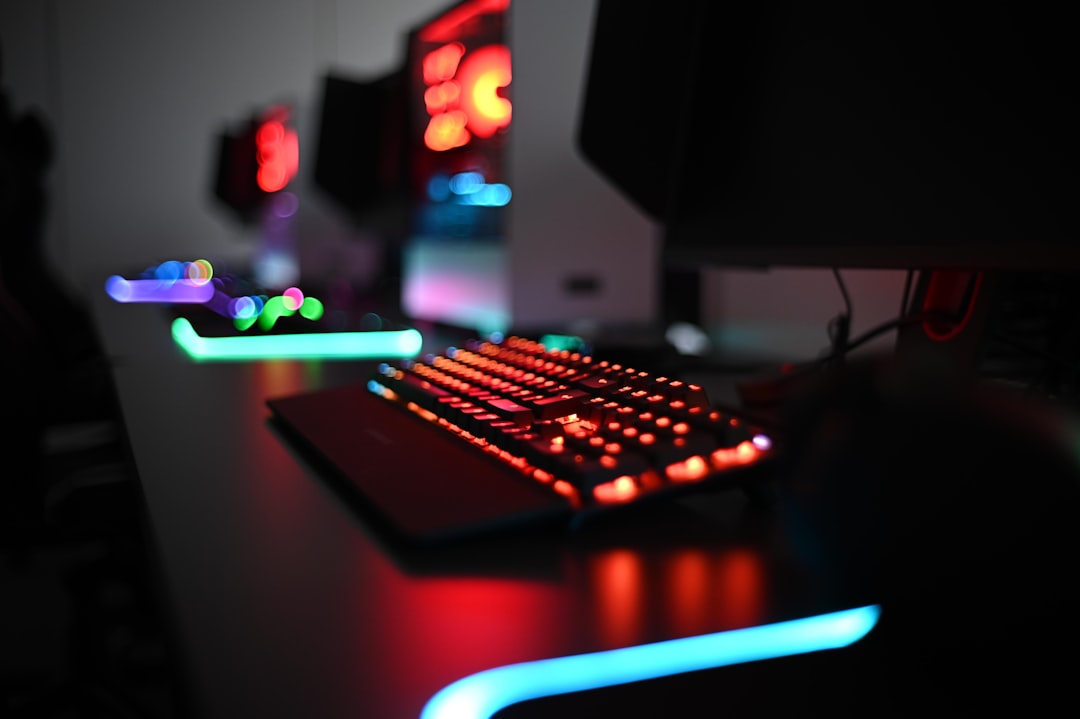
Dive into 2026's top gaming keyboards, from the high-end Corsair K70 Pro TKL to the customizable Sharkoon SGK50. Find your perfect fit.
Gaming keyboards have become essential tools for competitive and casual gamers. As 2026 approaches, the market features groundbreaking models equipped with advanced technologies and tailored designs. Here’s an in-depth look at five gaming keyboards that have made a significant mark, based on their features, performance, and appeal to the gaming community.
Corsair K70 Pro TKL: Precision and Durability for FPS Gamers
Corsair’s K70 Pro TKL offers a high-performance solution particularly suited for first-person shooter (FPS) gamers. This $130 keyboard sports a tenkeyless (TKL) layout, which omits the numeric keypad, providing more desk space for mouse movement—an essential feature for competitive play. Staying true to its design philosophy, the keyboard features a black brushed aluminum frame for a durable, premium look.
One of the standout features is the Hall-effect MGX Hyperdrive switches for the primary keys, which use magnetic fields rather than mechanical contacts. This innovation offers incredible longevity while allowing for customizable actuation points ranging from a mere 0.1 mm to 4 mm. The Rapid Trigger functionality ensures fast reset times, making strafing and quick directional changes smoother. For competitive FPS players, this level of control can provide a substantial edge.
Additionally, the keyboard includes RGB per-key lighting, customizable profiles via Corsair’s iCUE software, and soft magnetic wrist support for enhanced comfort during long gaming sessions. Notably, Corsair has blended responsiveness with user comfort through pre-lubricated switches and noise-dampening layers, ensuring a quieter typing experience.
However, not all keys utilize Hall-effect switches—function and arrow keys rely on standard mechanical switches, which might create slight inconsistencies in feel. Moreover, the keyboard is wired only, lacking wireless connectivity. For those prioritizing precision, speed, and adaptability, the K70 Pro TKL remains a compelling choice.
Sharkoon Skiller SGK50: The Budget-Friendly Customization King
Gaming enthusiasts looking to customize without breaking the bank should consider the Sharkoon Skiller SGK50. Starting at just $50 and scaling to $80 for its 75% layout variant, this keyboard emphasizes accessibility while maintaining flexibility.
The SGK50’s design incorporates a mix of clean aesthetics and practicality. The reviewed model features white PBT keycaps with blue accents and ships with a spiraled cable, adding visual flair reminiscent of custom setups. While the body is constructed entirely from plastic, the build quality feels substantial for its price range. Inside, Sharkoon has integrated a silicone dampening layer, reducing vibrations and creating a more refined sound.
One of the SGK50’s key strengths is its reliance on Open-Source firmware (QMK and VIA), enabling deep customization for those willing to invest some time learning the software. The Gateron G Pro Yellow switches—linear and pre-lubricated—offer smooth keypresses ideal for gaming and typing, but users can also capitalize on its hot-swappable design to swap switches and further personalize the feel of the keys.
The absence of proprietary software may deter those unfamiliar with open-source alternatives. Nonetheless, the SGK50 offers unparalleled value for those embarking on their custom-keyboard journey without dipping into premium pricing territory.
Ducky One X: Innovative Switches for the Enthusiast
Ducky’s One X, with a price point around $120, brings a unique offering to the keyboard scene. While its design is simple—highlighted by PBT caps and a heavy build—it’s the internal technology that sets it apart.
The One X features Ducky’s proprietary inductive switches, an alternative to Hall-effect systems. Using electromagnetic fields, these switches allow users to adjust actuation points precisely, from 0.1 mm to 3.5 mm. This fine control complements the included Rapid Trigger feature, which enables immediate key resets—a dream for competitive players seeking seamless responsiveness.
The Gasket-Mount chassis absorbs vibrations effectively, ensuring a quiet and dense acoustics profile. Connectivity is versatile, spanning USB-C, 2.4 GHz wireless, and Bluetooth modes, catering to different setups.
However, this innovation comes with some drawbacks. The software, available as a web app, is limited in functionality and has minor bugs. Additionally, switch swapping is restricted to Ducky-certified parts, limiting its modding potential. Despite these setbacks, the One X’s innovative switches make it a strong contender for anyone looking to experiment with new input technology.
MonsGeek FUN60 Ultra: Ultra-Compact with Leading-Edge TMR Switches
Compact and stylish, the MonsGeek FUN60 Ultra stands out for its Tunnel Magnetoresistance (TMR) switch technology. Typically available from $120 onwards, this 60% layout keyboard keeps its footprint minimal, making it ideal for FPS players requiring extra mouse space.
TMR switches represent an evolution of Hall-effect mechanisms. By detecting actuation via magnetic fields, they minimize wear-and-tear while enhancing precision. The FUN60 Ultra allows granular control over actuation points, maintains extremely low latency, and includes Rapid Trigger, ensuring unmatched reactions in competitive play.
The FUN60 Ultra shines in build quality. The aluminum body gives it a heft and durability often seen in enthusiast-grade keyboards. Internally, gasket mounts and dampening layers work in tandem to deliver a deeper, almost thocky sound profile, frequently sought after in the custom keyboard community.
However, this keyboard may not appeal to users needing additional function or numeric keys, and MonsGeek’s bundled software remains functional but less refined compared to popular platforms. For gamers prioritizing compact layouts and advanced switch technology, the FUN60 Ultra proves an exceptional upgrade.
Wooting 80HE: The Benchmark for Competitive Gaming Keyboards
Topping the list is the Wooting 80HE, with a price tag exceeding $200. This premium keyboard is widely regarded as the gold standard for competitive gamers.
Its 80% compact layout combines functionality with space saving. PBT keycaps ensure durability, while Hall-effect Lekker switches deliver industry-leading actuations. These switches allow adjusting actuation depth down to 0.1 mm, giving players granular sensitivity control. In tandem with Rapid Trigger, gamers experience unparalleled speed and responsiveness in actions like strafing.
Additionally, the analog input capability simulates controller-like responsiveness, opening up new dynamics for compatible games. The Wooting 80HE processes commands with staggeringly low latency, making it a natural choice for esport athletes. Typing is equally enjoyable due to its smooth tactile mechanics and acoustic dampening.
The Wooting 80HE’s limitations lie in its price and focus on competitive features. If you’re not playing at high levels, the advanced technology could feel overkill. The wired-only design might also dissuade those seeking wireless convenience.
Making the Right Choice
Choosing the perfect keyboard depends on your priorities. For FPS enthusiasts, the Corsair K70 Pro TKL and Wooting 80HE raise the bar with their responsiveness and precision. Meanwhile, the Sharkoon SGK50 delivers an accessible entry point for customization aficionados, and the MonsGeek FUN60 Ultra offers cutting-edge switch technology within a compact build. For those trying out innovative mechanisms, the Ducky One X provides a fresh perspective on input devices.
From budget-friendly picks to high-end powerhouses, these keyboards represent the best in gaming technology for 2026.
Staff Writer
Marcus covers video games, esports, and gaming hardware. Two decades of industry experience.
Comments
Loading comments…


