Acer Predator: Can a Thin Gaming Laptop Deliver Top Performance?
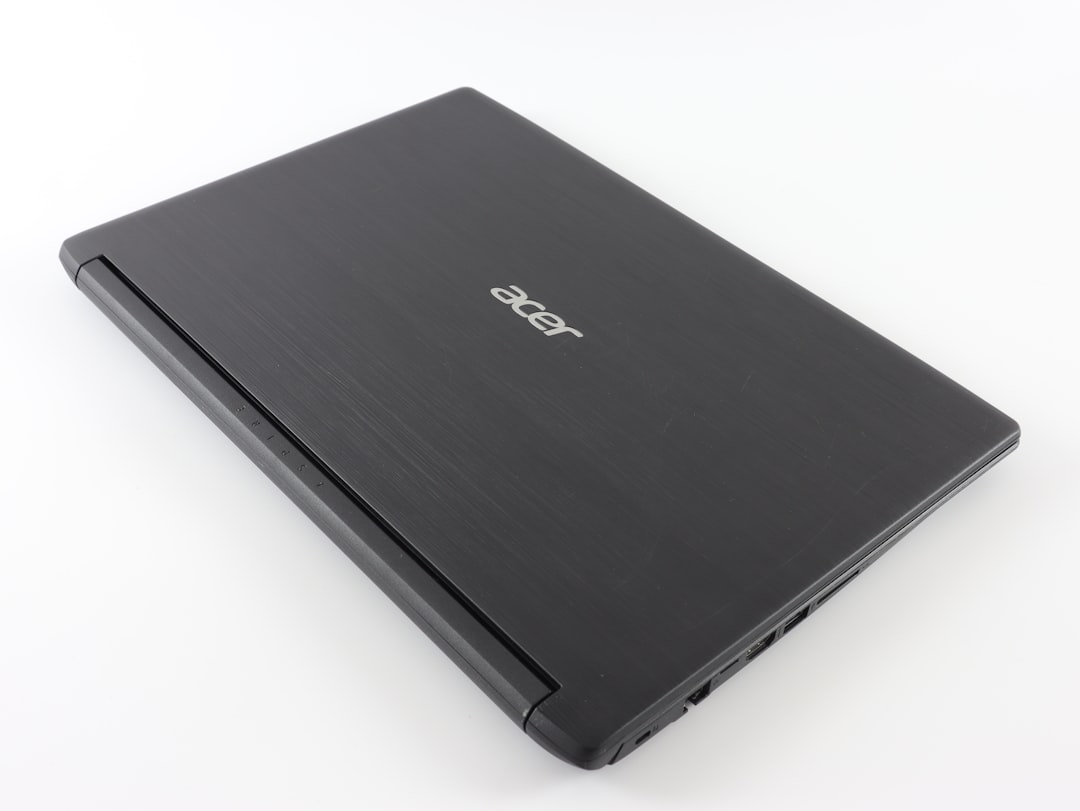
The Acer Predator gaming laptop proves that thin and light devices don’t have to sacrifice performance, with an OLED screen, RTX 5060 GPU, and solid thermals.
Gaming laptops have long been known for their bulky designs and limited portability. Most deliver high performance at the cost of being heavy, loud, and unwieldy. Acer's latest entry in the gaming segment, the Predator, takes a different route. Promising a balance between sleek design and uncompromising performance, this thin gaming laptop stands out with a 240 Hz OLED display, Nvidia RTX 5060 graphics, and a smart cooling solution. But how does it really perform over extended use?
Design: Slimmer and Lighter Without Compromise
The Acer Predator measures just 18.9 mm in thickness and weighs around 2 kg — making it notably lighter than the industry average gaming laptop, which often exceeds 2.5 kg. This reduced weight can make a real difference for users who carry their laptops frequently.
The build includes an aluminum backplate with RGB lighting on the Predator branding. It’s a well-thought-out design: single-hand lid opening, sturdy hinges, and an overall premium feel. Ports are plentiful with thoughtful placement, including several at the back to help keep your desk clean and organized. Here's the port breakdown:
Port Configuration
| Location | Ports Available |
|---|---|
| Left | Headphone jack, MicroSD card reader, USB 3.2 Gen 1, Ethernet port |
| Right | 2 x USB 3.2 Gen 2 (one supports power-off charging), power indicators |
| Back | Power connector, HDMI 2.1, Thunderbolt 4 with PD charging, USB-C with PD charging |
This array ensures enough connectivity for multiple use cases, from gaming to content creation.
Display: OLED Excellence
One of the standout features of the Predator is its 16-inch OLED display with a resolution of 2560 x 1600 (16:10 aspect ratio). Unlike traditional LCD panels, the OLED screen delivers better contrast, vibrant colors, and deeper blacks. The 240 Hz refresh rate ensures fluid animations and smooth gameplay, particularly noticeable in fast-paced games like Forza Horizon 5.
The display supports 100% of both the sRGB and DCI-P3 color gamuts, making it well-suited for professional color grading. For multitaskers, the additional vertical screen real estate in the 16:10 ratio is a plus when working on split screens.
Display Highlights
- Panel Type: OLED
- Resolution: 2560 x 1600
- Refresh Rate: 240 Hz
- Color Accuracy: 100% sRGB, 100% DCI-P3
Hardware and Performance
Beneath the slim design lies an Intel Core Ultra 7 255HX processor with 20 cores and a boost clock speed of 5.2 GHz. Paired with 16 GB of DDR5 RAM and 1 TB NVMe SSD storage, this configuration handles demanding tasks like video editing and high-resolution gaming effortlessly.
Benchmark Results
- Cinebench R23 and Geekbench 6: The Predator's scores are competitive, reflecting solid multi-core and single-core performance.
- 3DMark Time Spy: Scored 12,662, demonstrating strong GPU capabilities.
Everyday Tasks and Multitasking
The laptop excels at routine tasks and multitasking. It opened and managed 100 Chrome tabs without crashing, though it maxed out the 16 GB RAM in the process. For video editing, the device easily handled multiple 4K layers in DaVinci Resolve. However, serious content creators may want to upgrade to 32 GB RAM for heavier workloads in apps like After Effects or Premiere Pro.
Gaming Experience
With an Nvidia RTX 5060 GPU and 8 GB GDDR7 VRAM, the laptop handles most AAA titles at 1080p Ultra settings. Ray tracing in Cyberpunk 2077 and high refresh rates in Mortal Kombat showcase the device’s gaming prowess. While it supports 2K resolution, expect frames per second (FPS) to drop slightly compared to 1080p.
Frame Generation technology, available with the new RTX 50-series GPUs, uses AI to predict and generate additional frames dynamically. While it's perfect for story-driven games, users are advised to disable it for competitive multiplayer to avoid latency issues.
Cooling and Thermals
Acer integrates liquid metal thermal paste and dual exhaust, ensuring the laptop remains cool even under heavy loads. Temperatures stayed within acceptable ranges during benchmarks and extended gaming sessions. The tradeoff? The fans can get loud, so headphones are recommended.
Battery Life and Charging
Battery life remains a weak point for gaming laptops, including the Predator. The 76Wh battery provides 3-4 hours of general use and just 1-2 hours during gaming. You'll also get throttled performance when gaming on battery power. For full performance, it’s best to stay plugged in using the 230W charger provided. On the bright side, the device supports Power Delivery (PD) charging, allowing users to top up the battery with smaller 100W chargers in a pinch.
Additional Features
Webcam and AI Features
The Predator includes a 1080p webcam with modern AI features like auto-framing, an eye contact mode, and noise-canceling audio for video calls. These are welcome additions for hybrid work environments.
Keyboard and Trackpad
The full-sized keyboard features customizable four-zone RGB backlighting via the Predator Sense app. With sturdy key travel and minimal flex, typing and casual gaming feel responsive. The adequately-sized trackpad supports Windows gestures such as three-finger swipe for multitasking.
Speakers
Speakers are located at the bottom of the chassis, and while decent on a desk, they suffer from muffling when placed on soft surfaces like a bed. Audio-conscious users may want external speakers or headphones.
Pros and Cons
Pros
- Thin and lightweight design at just 18.9 mm and 2 kg
- Stunning OLED display with 240 Hz refresh rate
- Strong specs: Intel Core Ultra 7 and RTX 5060 GPU
- Comprehensive port selection, including Thunderbolt 4
- Efficient thermal management with liquid metal cooling
Cons
- Short battery life, especially during gaming
- Loud fan noise during heavy usage
- Bottom-firing speakers compromise audio on soft surfaces
- 16 GB RAM may not suffice for advanced video editing workflows
Practical Takeaways
- For gamers, the Predator delivers excellent performance at 1080p Ultra settings with ray tracing enabled. The OLED display enhances visuals, but you’ll often need to stay plugged in for the best results.
- Content creators working in 4K will find the device capable of handling tasks, though an upgrade to 32 GB RAM is recommended.
- Port-heavy users will appreciate the multiple USB-C/Thunderbolt 4 ports, Ethernet, and HDMI.
- Professionals who need extended battery life might consider alternatives in Acer’s Swift lineup.
Final Verdict
The Acer Predator shows that thin and light gaming laptops no longer need to sacrifice performance. At around $1,800, it offers compelling hardware for both gamers and professional users. However, its battery limitations and noisy fans could deter those seeking a more balanced portable workstation.
Staff Writer
Sarah reports on laptops, wearables, and the intersection of hardware and software.
Comments
Loading comments…


