The ultimate 2024 laptop buying guide: tips and recommendations
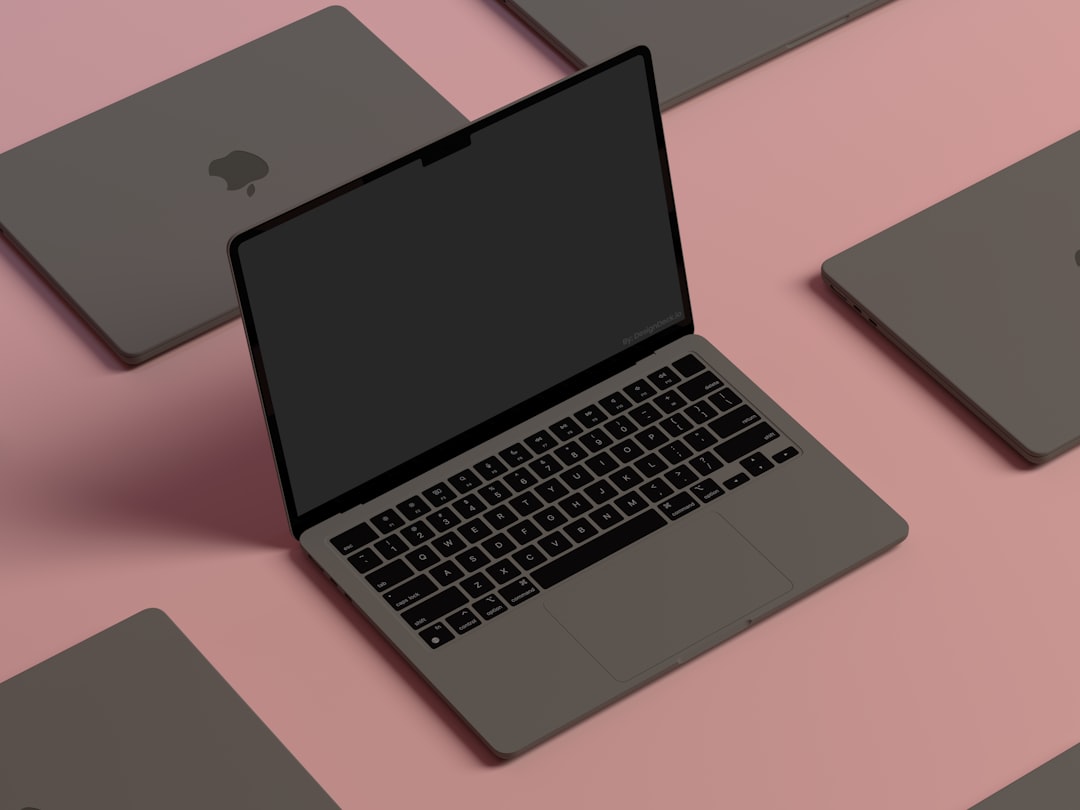
Learn how to choose the perfect laptop in 2024 with advice on CPUs, GPUs, displays, and more to meet your specific needs and budget.
Introduction: Know What You Need
Choosing the right laptop in 2024 is no simple task. With countless models, configurations, and features, finding the perfect match can feel overwhelming. Instead of focusing on specific models, this guide provides all the tools you need to confidently purchase a laptop that fits your specific tasks and budget. Whether you’re a student, a gamer, or a professional, these tips will help you make an informed decision.
Prioritize Use Case, Not Hype
Before diving into specs, it’s essential to be realistic about your needs. Are you primarily using your laptop for web browsing, video editing, gaming, or office tasks? Top-of-the-line components are not necessary for everyone and can lead to overspending.
Everyday Users:
- Mid-range laptops are adequate for most tasks.
- Lighter, quieter devices with better battery life are ideal.
- Look for a balanced system without paying extra for features you won’t use.
Gamers:
- Gaming laptops provide excellent performance, even for non-gaming tasks.
- Aim for GPUs like the NVIDIA RTX 4050 or RTX 3060 for 1080p and 1440p gaming.
- Check wattage differences between GPUs. For example, the RTX 4060 in an ASUS G14 can outperform an RTX 4070 in a less-optimized design. Focus on power allocation over branding.
Professionals and Creatives:
- Apple's MacBook line stands out, offering unmatched battery life and M3 single-core performance, though these aren’t ideal for gaming.
- On the Windows side, prioritize laptops with AMD Ryzen AI 300 series chips or comparable Intel Ultra 100 CPUs for efficiency and performance for productivity apps or creative work.
Understanding CPUs: AMD, Intel, Qualcomm, and Apple
Your laptop's CPU is its brain, so understanding what you need is key. Here's a breakdown of major players in 2024:
Apple:
- The M3 chip delivers elite single-core performance.
- MacBook Pros or Air laptops excel in battery life and overall efficiency. However, they aren’t great for gaming and come with a steep price tag.
AMD:
- Look for models with Ryzen AI 300 chips for better performance and efficiency.
- Be cautious of AMD’s confusing naming schemes. Focus on devices where the architecture (Zen 3/4) is up-to-date, not necessarily the number prefix. A Ryzen 5 7640U (Zen 4 chip) is much better than a Ryzen 3 7320U (Zen 2).
Intel:
- 13th-generation Intel CPUs are solid choices, especially for battery life improvements.
- Keep an eye on the upcoming Lunar Lake processors, though current-gen chips remain viable for most tasks.
Qualcomm:
- Snapdragon X chips offer unmatched battery life but work best for simpler desktop apps or web browsing due to limited compatibility with certain software.
RAM and Storage: Get Enough, But Don’t Overspend
RAM:
- 4GB is no longer sufficient in 2024.
- Minimum recommendation: 16GB for general use.
- Professionals and gamers should consider 32GB or more if performance-heavy applications are a priority.
- Check if RAM is upgradeable; many modern laptops now include soldered memory, locking you into the original configuration you’ve purchased.
Storage:
- Opt for a 256GB SSD at minimum.
- For gaming, video editing, or larger file storage, upgrade to 512GB or 1TB.
- Avoid HDDs or EMMC storage due to poor performance.
- External SSDs, like the Lexar Armor 700, provide flexible storage upgrades without opening your device.
Display Features: Brightness, Resolution, and Refresh Rates
Laptop displays vary widely in quality. Here’s what to look for:
| Display Feature | Recommendation |
|---|---|
| Panel Type | IPS for general use, OLED or Mini-LED for high-end users |
| Brightness | 200–300 nits (indoor), 400–500+ nits (outdoor/HDR) |
| Resolution | Full HD (1080p) for most users, 1440p for sharper visuals |
| Refresh Rate | 60Hz for standard users, 120Hz+ for gaming |
| Aspect Ratio | 16:10 or 3:2 for productivity and creative work |
| Color Accuracy | 100% sRGB for general tasks, wider gamut for professionals |
Keyboard and Trackpad: Comfort is Key
Your keyboard and trackpad are your primary interaction points, so they need to fit your preferences:
Keyboard Tips:
- Test the layout and key spacing in-store, if possible.
- Inspect for chassis flex, stable key actuations, and consistent pressure points.
- Popular options for comfort include the HP Dragonfly Elite and Dell Latitude 9440.
Trackpad Tips:
- Precision touchpads are standard on most laptops now.
- Top-tier options, like MacBooks or Surface Laptops, utilize large glass-topped designs with force-touch mechanisms.
Portability: Weight and Battery Life
Weight:
- Lightweight designs are more portable but may compromise performance.
- Look for laptops in the thin-and-light category if you’re always on the move.
Battery:
- Battery life is measured in watt-hours, but real-world efficiency varies based on hardware and software optimization.
- Devices like MacBooks often lead the pack in longevity, followed by models with AMD Ryzen AI chips.
Affordable Options: Chromebooks and Budget Windows Laptops
Acknowledging that not everyone has a $1000+ budget, here are some solid options for tight wallets:
Chromebooks:
- Great for web-focused tasks. Affordable and spec-efficient thanks to no Windows licensing fees.
Windows Options:
- Acer Aspire Go (with Ryzen CPU) at $300 offers great value for basic needs.
- HP Pavilion Aero for $600 punches above its weight class with solid performance and build quality.
For even tighter budgets, consider buying used or refurbished laptops. Universities and corporations often sell surplus at low prices.
Final Thoughts: Personalization Is Key
The best laptop for 2024 ultimately depends on your use case and budget. Following these guidelines, you can find a machine tailored to your needs without feeling overwhelmed by marketing jargon. Focus on what truly matters—performance where you work, a display clear enough for your tasks, and a budget-friendly design you won’t regret.
FAQ
Q: How much RAM is necessary in 2024? A: At least 16GB is recommended for most users. Heavy multitaskers or professionals may need 32GB or more.
Q: What’s the best display resolution for laptops? A: Full HD (1080p) is sufficient for most tasks. Upgrade to 1440p for a noticeable sharpness boost.
Q: Are Chromebooks worth it? A: Chromebooks are great for web and Linux app use and are an affordable alternative for non-power users.
Q: Can I upgrade my laptop later? A: Many modern laptops have soldered components. Check if RAM and storage are upgradeable before buying.
Q: Should I wait for Intel Lunar Lake processors? A: While promising, current-generation Intel chips are sufficient for most users and available now.
Staff Writer
Alex covers consumer electronics, smartphones, and emerging hardware. Previously wrote for PCMag and Wired.
Comments
Loading comments…


