$20,000 PC Build: Crafting the Most Overpowered Editing Machine
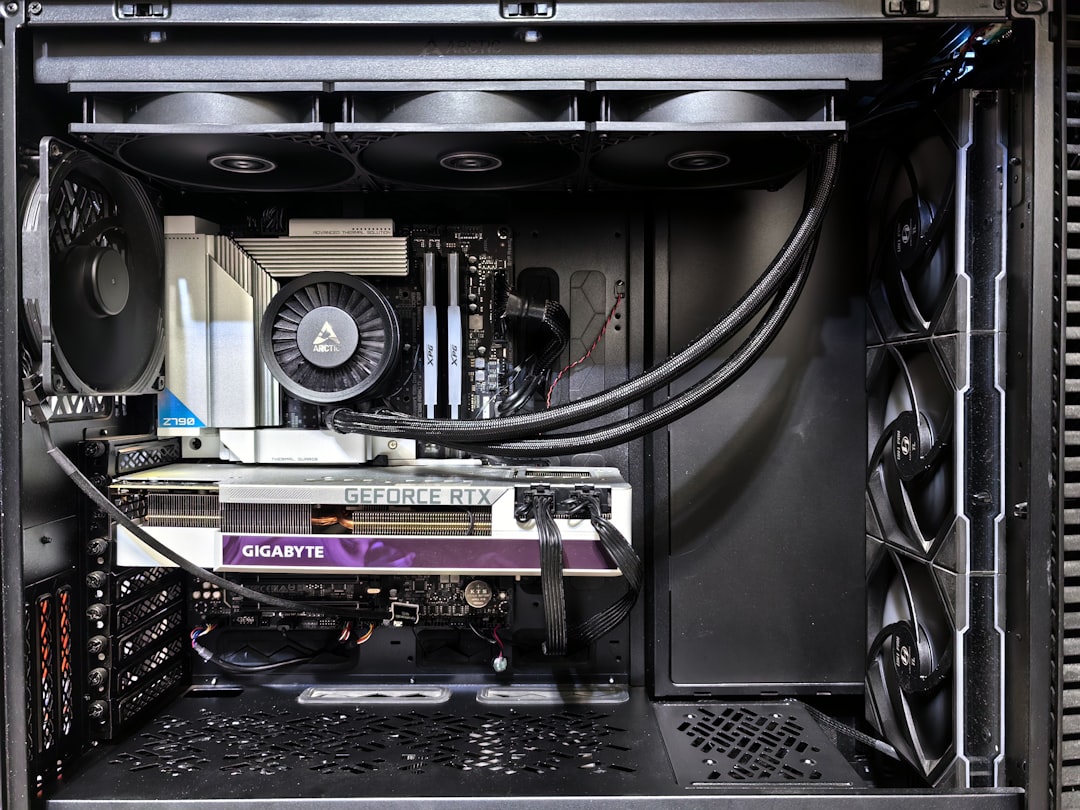
A $20,000 workstation PC designed for video editing pushes the limits of performance and practicality with cutting-edge parts—and some humor along the way.
Building a high-performance PC is no small feat, but assembling a $20,000 video editing workstation takes the challenge—and the stakes—to another level. This ambitious project combined top-of-the-line components, a hefty budget, and more than a few laughs along the way. Here’s a breakdown of what went into creating one of the most overpowered editing PCs ever built.
The Core of the Beast: AMD Ryzen Threadripper Pro 9975WX
At the heart of this machine is the AMD Ryzen Threadripper Pro 9975WX, a 32-core processor engineered for professional workloads. The choice of this CPU was critical: while other options might exceed it in core count, this particular model offered a sweet spot between core speed and quantity. According to benchmarks from Puget Systems, the 9975WX’s fast turbo speeds make it particularly adept at handling video editing tasks.
Pricing for this powerhouse sits a little over $4,000, a significant investment but one that's justified when maximum editing efficiency is the goal. Its design underscores AMD's attention to scalability; the Threadripper lineup accommodates up to 96 cores, though this build stuck with the 32-core limit to balance performance and thermals optimally.
The Motherboard: A Command Center Worth $1,300
To complement the Threadripper, the team installed a motherboard brimming with connectivity options. Supporting eight-channel memory, up to 96-core processors, and a plethora of PCIe slots, the board comes in at approximately $1,300. However, it’s built for flexibility: seven PCIe slots, four M.2 PCIe Gen 5 slots, and advanced IO options like dual 10Gb LAN and dual 40Gb USB. This motherboard isn't just equipped for video editing—it's a comprehensive workstation foundation.
Memory & Storage: Going Big
The PC features 128GB of RAM, spread across eight channels to maximize bandwidth. Supplied by G.Skill, this setup includes error-correcting memory, ensuring minimal hiccups during rendering or other complex tasks. For storage, the team opted for a 4TB Samsung 9100 Pro SSD, ensuring both speed and capacity for large editing projects. High-speed storage like this is crucial for video editing, where transferring and reading large files can otherwise become bottlenecks.
The Graphics Powerhouse: NVIDIA RTX 6000
Where gaming systems often stop at an NVIDIA RTX 4090, this $20,000 build steps into the realm of professional GPUs with the NVIDIA RTX 6000. Sporting an eye-watering 96GB of VRAM, this card is designed to handle massive datasets, complex 3D models, and high-resolution video timelines. For context, a top-tier gaming card like the RTX 4090 only features 32GB of VRAM—this machine triples that. Such raw power ensures smooth performance in high-end editing tasks, including 8K video rendering.
Cooling and Power: Keeping the Beast Tamed
Given the immense power demands of these components, cooling and power solutions were just as critical as the parts themselves. Cooling duties were handled by a bespoke Silverstone mounting bracket designed specifically for the AMD Threadripper, facilitating optimal heat dissipation. The PSU was another standout—a $450 TX1600 Noctua edition, capable of running dual NVIDIA 5090-class GPUs if needed. In this build, it ensures uninterrupted power delivery to every component.
The Case: Practicality Meets Elegance
To house the system, the Fractal North XL case was chosen. This chassis not only supports the massive motherboard but also offers clean aesthetics and excellent airflow. A workstation doesn’t need flamboyant RGB or flashy designs to stand out—it needs efficiency, and this case delivers.
The Build Process: Organized Chaos
Building such a machine isn’t without its hurdles (and a few moments of hilarity). From debating component alignments to dealing with sweaty, nervous hands during installation, the process provided no shortage of entertainment. The challenges were as much about mechanical precision as they were about aligning expectations, particularly with someone inexperienced in PC builds involved in the process.
One critical lesson emerged: even slight missteps, such as touching the underside of the CPU or improperly aligning the motherboard standoffs, can lead to catastrophic failures. Ample care was exercised—or at least aimed for—to minimize the risk. The cooling system installation, in particular, required careful handling of thermal compounds and mounting brackets to ensure even pressure and effective thermal management.
Why Spend $20,000?
The idea behind this build stemmed from a challenge: build the most capable editing PC possible within a $20,000 budget. Beyond the jaw-dropping specs, it was an exercise in squeezing every ounce of practical performance from cutting-edge technology. While some components pushed practicality, like the vast VRAM on the RTX 6000 or the 128GB of RAM, this build embodies the concept of “future-proofing.” Render times drop significantly, workflows grow more efficient, and the system can handle ballooning project demands.
What’s Left in the Budget?
By the end of the initial component selection and assembly, approximately $13,000 of the budget had been allocated. As discussions on how to use the remaining funds evolved, the conversation hinted at potential upgrades or unforeseen setup costs. One thing's for sure: this meticulous and sometimes comedic journey underscores that building a high-budget PC demands equal parts precision, research, and patience.
The Takeaway
This $20,000 PC demonstrates what’s possible when budget constraints are virtually nonexistent—bringing workstation capabilities to their extreme limits. For the average user, or even most professionals, these specs are clearly overkill. However, for high-volume video production, 3D modeling, and other highly specialized tasks, this build pushes boundaries, ensuring efficiency and cutting-edge performance for years to come.
Whether you’re planning a build or simply marveling at the possibilities, it’s projects like these that remind us what high-end PC components can achieve when configured in harmony.
Staff Writer
Alex covers consumer electronics, smartphones, and emerging hardware. Previously wrote for PCMag and Wired.
Comments
Loading comments…


