Essential guide for buying a laptop in 2026
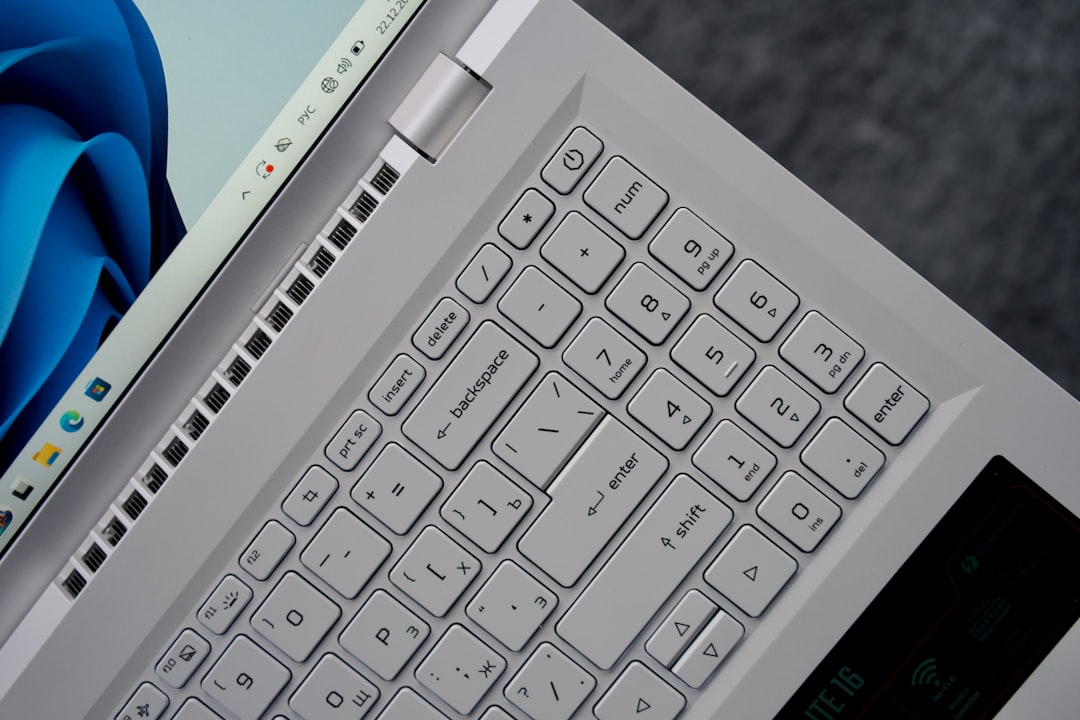
Learn how to choose the best laptop for your needs in 2026, from CPUs and GPUs to memory, storage, and display quality.
Why Choosing the Right Laptop Matters
Purchasing a laptop can be overwhelming, particularly in 2026, where options and technical jargon are more complex than ever. Whether you're a student, a professional, a gamer, or all of the above, understanding what you truly need in a laptop will save you money and ensure a better experience for years to come. This guide breaks down every critical component to help you make the best decision for your specific use case.
Identify Your Needs
Before diving into specs, it’s crucial to define your primary use case. Laptops are not one-size-fits-all devices, and the ideal choice depends on what you'll be using it for.
Categories of Users
-
Basic Home and Office Users: If your tasks include web browsing, document editing, and video calls, focus on reliable laptops with decent battery life and affordable prices. Examples include lightweight laptops with basic specs.
-
Performance-Driven Professionals: Users like software developers or audio engineers require laptops with powerful CPUs and ample memory. A high-quality screen is also recommended for multitasking and functionality.
-
Gamers: A powerful GPU (Graphics Processing Unit) is critical for gaming. Gaming laptops often have larger screens, efficient cooling solutions, and CPUs that can handle high frame rates alongside the GPU.
-
3D Rendering Professionals: If you use software for 3D design, look for laptops with robust GPUs. Apple’s MacBook Pros excel in this category when gaming isn’t part of your workflow, as they offer excellent rendering capabilities.
-
Video and Photo Editors: High-end GPUs equipped with media engines and screens with wide color gamuts (like Apple’s P3) are critical for working with graphics. Look for laptops with large displays and accurate color reproduction.
-
Data Scientists/AI Developers: A powerful GPU combined with significant video memory (VRAM) and reliable CPU memory is essential for handling machine learning models and datasets.
-
Generalists: If you cross between categories, ensure the laptop you choose meets or exceeds the requirements for all your tasks.
Key Laptop Components
After determining the primary use, focus on understanding the components that impact performance and usability.
CPU (Processors)
The Central Processing Unit (CPU) is the brain of your laptop. Here’s what to know:
CPU Manufacturers
- Intel and AMD: Offer widespread compatibility with modern software but lack efficiency. Their high-performance chips tend to generate significant heat and fan noise.
- Apple: Apple’s M series (ARM architecture) chips provide excellent battery life and quiet operation. They’re ideal for users who value portability and performance. However, software compatibility is limited for gamers and some niche industries.
- Qualcomm: Efficient but currently best suited for lightweight tasks like web browsing and basic office work due to limited software support on ARM-based Windows laptops.
Performance Categories
- Basic processors (e.g., Intel’s U-series, AMD Ryzen 5): Great for battery life but not suited for demanding tasks.
- Mid-tier CPUs (e.g., Intel H-series, AMD Ryzen 7): Balance power and thermal output.
- High-end CPUs (e.g., Intel HX-series, Apple M Pro/Max chips): Required for gamers, creative professionals, and data scientists.
GPU (Graphics Processing Unit)
For gaming, 3D rendering, and data modeling, the GPU matters more than the CPU.
Nvidia GPUs for Windows
- Entry-level: RTX 5050—good for casual or older titles.
- Mid-tier: RTX 5060/5070—excellent for most modern games but require compromises in high-res screens.
- High-end: RTX 5080/5090—unmatched for 4K gaming, VR, and rendering.
Apple GPUs
- Integrated graphics in Apple’s M-series chips are excellent for non-gaming professional tasks.
- M-series Max chips deliver high performance but demand sufficient cooling (see 16-inch MacBook vs. 14-inch).
Keep in Mind
- Power Draw: Smaller laptops often throttle GPU performance to manage heat, reducing actual performance. Choose larger laptops for consistent GPU output.
- VRAM: For modern games, ensure GPUs have at least 12GB of VRAM. Avoid 8GB GPUs with high-res screens.
Memory and Storage
Memory (RAM)
- 16GB: Adequate for most users.
- 32GB: Recommended for video editors, engineers, and data professionals handling demanding projects.
- 8GB: Acceptable only on a strict budget ($400 or less) or older MacBooks with an efficient M-series chip.
- 64GB: Overkill unless working with extremely complex datasets or simulations.
Storage
- 256GB: Defined for cloud-based users with minimal local storage needs.
- 512GB: Sufficient for most users.
- 1TB or 2TB: Necessary for gaming, professional video projects, or maintaining extensive local files.
Display
Screen Size and Resolution
- Large screens (15-16 inches) are ideal for productivity but can hurt portability.
- Focus on 200 PPI or more for sharp images. Gamers should stay between 160-200 PPI to balance sharpness with performance.
Brightness and Panel Type
- 400 nits: Adequate for most users.
- Glossy displays should reach around 500 nits to combat reflections.
- IPS panels: Standard for good color accuracy.
- OLED panels: Superior color and brightness, usually at a premium price.
Practical Buying Tips for 2026
- Gaming Needs: Prioritize VRAM and power capacity when choosing a gaming laptop.
- MacBooks for Creative Work: Select the 16-inch model if investing in the Max chip for optimal cooling and performance.
- Watch Out for Cheap Windows Laptops: Skip low-end devices below $400 unless there’s no alternative. Older models from Apple may be better.
- Battery Life vs. Performance: Aim for Apple or Qualcomm processors if you need long battery life while unplugged.
- Expandable Storage: Verify if your laptop supports upgrades for future flexibility.
Conclusion
Choosing the right laptop in 2026 is no easy task, but tailoring your purchase to your specific use case ensures the best value and performance. Platforms like bestlaptop.deals make it easier than ever to filter options based on processor type, GPU performance, and other key features. With the right research, your laptop can be a reliable companion for years to come.
Comments
Loading comments…


