Reviving a Decade-Old Lenovo ThinkPad with Linux
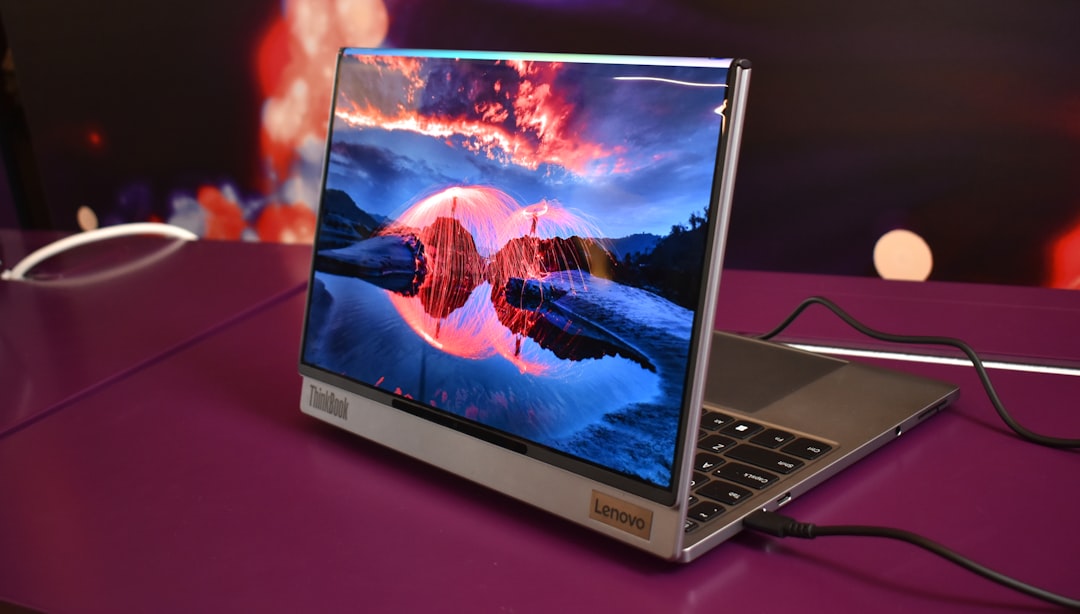
An obsolete Lenovo ThinkPad X1 Carbon Gen 5 gets a new lease on life with Linux Mint, proving that older laptops can still thrive without Windows.
In the world of laptops, the Lenovo ThinkPad X1 Carbon Gen 5 may be nearing its tenth birthday, but recent experience shows that it’s far from being a relic. While Microsoft deems systems with 7th-generation Intel chips unworthy of Windows 11 updates, this particular device remains highly capable—provided you ditch Windows altogether.
The Hardware: A Surprisingly Robust Core
The Lenovo ThinkPad X1 Carbon Gen 5 debuted in 2017 at a starting price of $1,100, targeting professionals who valued portability and performance. Fast forward to 2023, and this laptop, now available on eBay for just $250, still offers impressive hardware: 16 GB of RAM, a 512 GB SSD, and an Intel Core i7-7600U processor. Tech enthusiasts might scoff at its seventh-generation Intel chip, but in many practical use cases, it can still deliver. Modern tasks like web browsing, document editing, and light gaming remain within its grasp.
One reason the ThinkPad line often outlasts its competition is its renowned build quality. The X1 Carbon Gen 5 is no exception, remaining sturdy even after years of use. Unlike many laptops that succumb to wear and tear, its craftsmanship hasn’t faltered, nor has its full HD display, however basic.
Out with Windows, In with Linux
The default operating system, Windows, is the Achilles’ heel for many aging laptops. This ThinkPad originally shipped with Windows 10, but Microsoft’s refusal to support older processors on Windows 11 makes the device obsolete by their standards. Refusing to send the laptop to the landfill, this particular user opted for a Linux upgrade.
Linux Mint, a lightweight and user-friendly distribution, was installed in under 30 minutes. The result is an operating system that keeps the ThinkPad not just alive but thriving. Even on older hardware, Mint continues to receive regular updates, maintaining security and performance. Daily tasks like running Firefox and Slack went smoothly, and the device proved capable of handling lightweight games via Steam.
Another advantage of switching to Linux is its efficient use of resources. While Windows tends to demand higher hardware specifications for each new version, Linux Mint demonstrates that a decade-old laptop still has plenty to offer when paired with the right software.
A Few Quirks and Caveats
Despite its successes, this resurrection isn’t without its flaws. Battery life, for instance, remains a weak point. With regular tasks, the ThinkPad manages only four to five hours on a charge, a limitation exacerbated by the laptop’s age. Gaming on Steam further reduces the runtime, allowing as little as 30 minutes per session unless the device remains plugged in. However, old laptop batteries are replaceable, and at an estimated $70 for a replacement, users could gain a few extra hours of mobility without a significant investment.
The full HD display, although functional, might not wow modern audiences. Nevertheless, it gets the job done without any driver-related hiccups following the switch to Linux. For those focused on productivity rather than visuals, it’s more than adequate. On the bright side, the X1’s keyboard remains a highlight. Typing is a joy thanks to its generous key travel and satisfying tactile feedback—a quality few modern ultrabooks manage to replicate.
The Ports That Modern Laptops Forgot
One standout feature of this ThinkPad is its abundance of ports. While current-generation laptops like the MacBook force users to rely heavily on USB-C dongles, the X1 Carbon Gen 5 offers a practical combination: two USB-C ports, two USB-A ports, and an HDMI port. For anyone who regularly handles external displays, flash drives, or peripherals, this accessibility adds significant value.
A Second Life for “Obsolete” Hardware
When comparing this $250 refurbished Lenovo ThinkPad to budget laptops sold in 2023, its appeal becomes clear. Many ultraportable devices in the $250 range come with minimal RAM and storage, offering just enough power for casual browsing and little else. In contrast, the X1 Carbon Gen 5 challenges the notion that older hardware equals poor performance. Its 16 GB of RAM and 512 GB solid-state drive not only outclass similarly priced contemporaries but also handle multitasking with relative ease.
The push for planned obsolescence in the tech industry often prompts users to upgrade hardware unnecessarily. Features like unsupported Windows updates or non-replaceable parts force devices into e-waste prematurely. Switching to Linux provides a compelling counter-narrative. It emphasizes usability, practicality, and sustainability in a way that commercial operating systems do not.
The Bigger Picture
This experiment with the Lenovo ThinkPad X1 Carbon Gen 5 offers a broader lesson on the longevity of laptops. Just because a product no longer receives software support from its original manufacturer doesn’t mean its lifecycle should end. The software landscape has alternatives—many of them free—that are capable of squeezing more years out of seemingly outdated technology.
For tech enthusiasts and those looking to save money, refurbishing old hardware is a rewarding experience. At a time when global e-waste levels are rising, leveraging open-source software like Linux serves not only as a wallet-friendly choice but also an environmentally conscious decision.
For users concerned about performance trade-offs or compatibility hurdles, this success story with Linux Mint may allay those fears. While it’s true that older hardware cannot rival the speed and efficiency of bleeding-edge laptops, it’s more than sufficient for common everyday tasks. And sometimes, the satisfaction of reviving a “dead” device outweighs the appeal of shiny new tech.
The Lenovo ThinkPad X1 Carbon Gen 5—and machines like it—prove there’s life beyond Windows. The journey isn’t just about running a new operating system; it’s about reshaping how we approach our tech, valuing longevity over disposability.
Staff Writer
Alex covers consumer electronics, smartphones, and emerging hardware. Previously wrote for PCMag and Wired.
Comments
Loading comments…


