M4 iPad Air: Pushing the Boundaries of Tablet Functionality
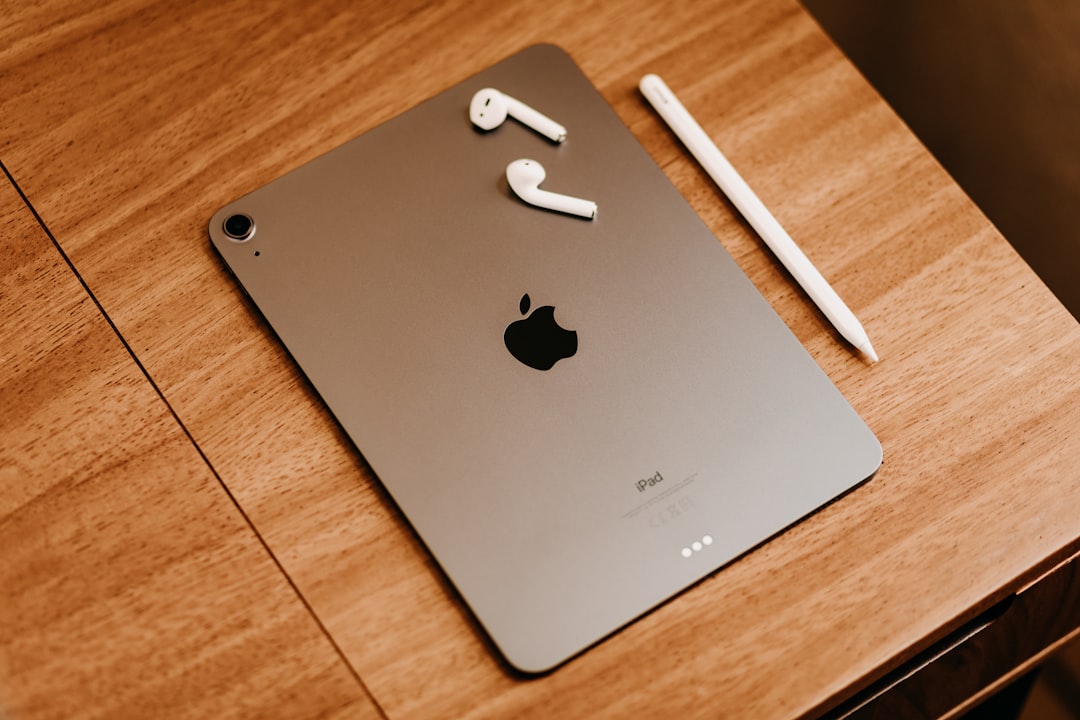
The M4 iPad Air offers significant performance upgrades, but its practicality hinges on your use case. Here's everything you need to know.
When Apple launched the first iPad nearly 16 years ago, it was hailed as a revolutionary device—a larger alternative to a smartphone, blending portability with functionality. Fast forward to 2026 and the iPad lineup now exceeds 30 models, with the latest addition being the M4 iPad Air. Positioned between the base-level iPad and the iPad Pro, the M4 iPad Air is a powerful upgrade, but does it justify an upgrade for current users? Let’s dive in.
Key Specifications and Features
The M4 iPad Air is powered by Apple’s M4 chip featuring an 8-core CPU, 9-core GPU, and a 16-core Neural Engine. This configuration promises up to 2.3 times the performance of the M1 iPad Air, making it a significant leap for intensive tasks.
The tablet is available in two size options—11 inches and 13 inches—and sports a Liquid Retina display. Brightness goes up to 600 nits, which works well for most lighting conditions, though the lack of ProMotion technology (higher refresh rates for smoother visuals) may disappoint users accustomed to the iPad Pro’s display. Storage configurations start at 128GB, with options for 256GB, 512GB, and 1TB, catering to a wide range of use cases from daily browsing to professional editing.
On the hardware side, the 12-megapixel landscape front camera is a thoughtful addition for video calls, providing a more natural framing compared to its portrait-centered predecessors. Connectivity includes USB-C with USB 3.0 transfer speeds, allowing users to directly edit files from external drives or transfer data efficiently.
Editing a Full Video on the M4 iPad Air
One of the standout tests of the M4 iPad Air’s capability involved editing an entire video on the device using Final Cut Pro for iPad. This software, which mirrors much of the desktop version's functionality, integrates touch and Apple Pencil support.
The workflow involved transferring footage via USB-C, either by copying files to the iPad or editing directly from an external drive. The touch-optimized features of Final Cut for iPad, such as a scroll wheel interface for precision, make the software intuitive for portable editing. Live drawing and iPad-only features further enhance its creative scope, although the adaptation required for seasoned desktop users might feel unfamiliar at first.
The Apple Pencil, particularly the Pro model, adds significant value to this setup. With ultra-low latency, haptic feedback, and features like tool palette control via a squeeze gesture, it transforms the tablet into an artistic powerhouse. Features like the Pencil’s hover detection and Find My integration further its practicality.
Despite these advancements, traditionalists may find themselves returning to the desktop version of Final Cut for heavier projects. The iPad’s touch-first design is convenient, but it doesn’t fully eliminate the advantages of keyboard shortcuts and multi-monitor setups in professional editing.
Beyond Video: Designing Custom Projects
The M4 iPad Air’s versatility extends beyond video editing into illustration and design. A heartwarming example is the author’s project turning a drawing into a t-shirt design. Using Pixelmator Pro for initial touch-ups and Procreate for refining details, the iPad proved itself as a capable tool for creative professionals. The integration of apps like these allows artists to preserve intricate details while enhancing and scaling their work for physical production.
Gaming also benefits from the M4’s enhanced performance. Whether through Apple Arcade or connecting external controllers, the iPad offers a console-like experience in a portable package. The updated windowing options, including Stage Manager mode, further contribute to making the iPad Air feel like a multitasking hub akin to a lightweight laptop.
Is the M4 iPad Air for You?
For owners of earlier generations like the M1 iPad Air, the decision to upgrade isn’t straightforward. While the M4 brings notable performance boosts, the benefits will only be fully realized by power users engaging in video editing, illustration, or demanding multitasking. Casual users may find little reason to jump to this model.
However, if you’re using a base-level iPad or an older Air, the upgrade to the M4 would be transformative. The combination of speed, functionality, and the ability to seamlessly transition between work and play makes it one of the best options in the mid-tier tablet market.
What’s Missing?
While the M4 iPad Air is a robust device, the lack of ProMotion remains a distinction from the iPad Pro line. Additionally, while the iPad OS now supports better multitasking and window management, it may still feel limited compared to the macOS experience for users needing complex workflows.
Final Thoughts
The M4 iPad Air continues to blur the lines between tablet and computer. For those seeking a portable but powerful device, it offers an impressive range of capabilities, extending from creative tasks to entertainment. However, whether it’s the right upgrade for you depends on how demanding your tasks are and whether the iPad fits into your broader creative ecosystem.
Whether editing videos, illustrating custom artwork, or simply exploring the possibilities of touch-screen computing in 2026, the M4 iPad Air proves that tablets continue to evolve as a vital part of the modern tech landscape.
Staff Writer
Alex covers consumer electronics, smartphones, and emerging hardware. Previously wrote for PCMag and Wired.
Comments
Loading comments…


