Microsoft Surface Laptop 7 Review After 6 Months: How It Stacks Up
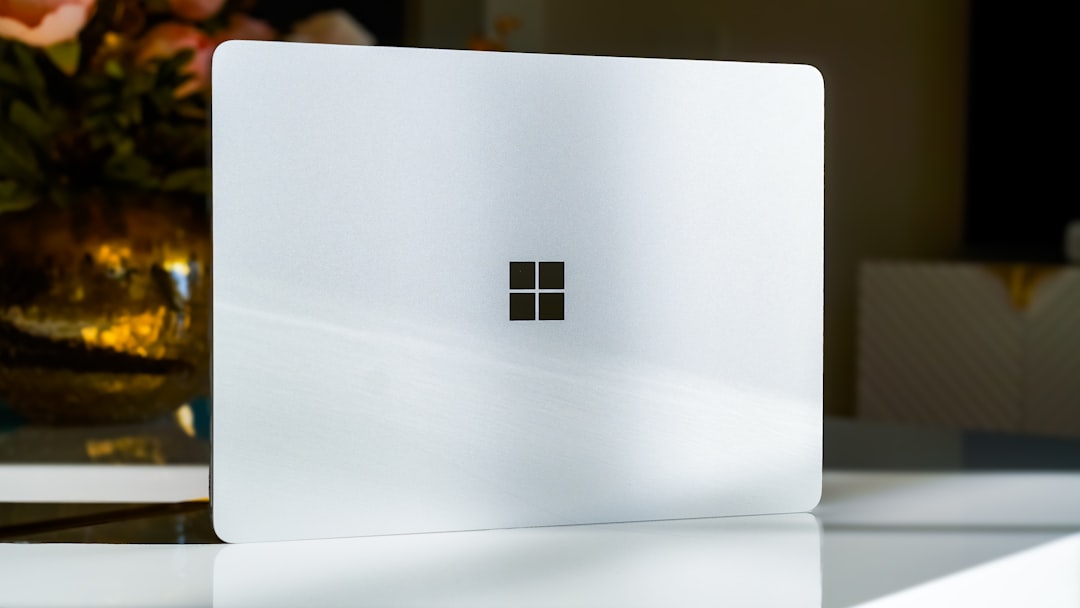
After six months with the Surface Laptop 7, we evaluate its design, performance, battery life, and whether it truly rivals the MacBook Air.
After spending six months with the Microsoft Surface Laptop 7, it’s time to evaluate its performance, design, and overall usability to determine if it can truly challenge one of its biggest competitors: the MacBook Air. Designed to attract those seeking a balance between premium build quality, robust battery life, and versatile software, the Surface Laptop 7 offers some compelling features. But has it succeeded in delivering a top-tier Windows experience? Let’s dive into the details.
Build quality and design
One of the first things that stand out about the Surface Laptop 7 is its design. With a sleek aluminum unibody construction that closely mirrors the design ethos of the MacBook Air, the device feels premium to the touch. It has a lightweight build comparable to the MacBook Air, making it a strong contender for users seeking portability.
Another highlight is the trackpad. Microsoft has significantly refined it, delivering excellent precision, support for multi-finger gestures, and responsive haptic feedback. While not revolutionary, it’s arguably the best trackpad offered on a Windows laptop.
The display also shines with a 13.5-inch screen featuring a 120Hz refresh rate, superior to the MacBook Air’s 60Hz. The inclusion of touchscreen functionality adds versatility, allowing users to interact with the laptop as they would a tablet. However, its utility is somewhat restricted by the conventional clamshell design, which lacks the flexibility of the Surface Pro lineup.
Limitations in design
While the display is impressive overall, the anti-reflective coating leaves something to be desired. It doesn’t perform as well as the MacBook Air in managing glare, which can be distracting in brightly-lit environments. Furthermore, the inclusion of legacy keys like Home, End, and Page Up/Down feels outdated compared to more modern function key layouts focused on media controls.
Performance and capability
Everyday tasks
The Surface Laptop 7 is powered by the Snapdragon X+ processor in its standard configuration. Over six months of use, it has proven sufficient for everyday tasks like browsing, email, document editing, and light multitasking. However, its ARM architecture introduces limitations when it comes to gaming and certain apps.
Gaming performance
Gaming on the ARM-based Surface Laptop 7 can be a mixed bag. While older games like Cities: Skylines are playable, they exhibit long load times and occasional crashes when settings are adjusted. On the other hand, modern titles like Manor Lords built on Unreal Engine 5 are barely playable even at medium settings. This laptop clearly isn’t designed for demanding gaming workloads.
App compatibility
Because of its ARM processor, not all traditional Windows applications are fully optimized for this laptop, which may result in them running slower or draining the battery more quickly. It’s something users should consider carefully if they rely on niche software.
Battery life: A standout feature
Microsoft touts the Surface Laptop 7 as having up to 20 hours of video playback on a single charge—a claim that holds up well in real-world use. The laptop easily manages a full workday and remains functional beyond that. Its standby battery performance is particularly impressive; the device can sit unused for up to two weeks with minimal power drain.
On the flip side, battery life can diminish more quickly with ARM-unoptimized apps. However, for general productivity tasks, the battery is efficient and outlasts many competing Windows laptops.
Audio quality
The laptop’s speakers are another highlight, offering louder output than Apple’s MacBook Air. While loudness is a plus, the audio quality feels unbalanced, with mediocre bass response. Users looking for premium sound should plan on pairing the system with high-quality headphones like the Sony WH-1000XM5.
Software ecosystem and extras
Windows customizability
One of the Surface Laptop 7’s strengths lies in its customizability within the Windows ecosystem. Features like Microsoft PowerToys enhance functionality significantly, whether by enabling improved search options, previewing files, or adjusting keyboard shortcuts for a more ergonomic experience.
Phone integration
The Windows Phone Link feature allows seamless connectivity with Android and iPhone users, although Android devices enjoy greater functionality. With an Android phone, users can mirror their screen, send texts, view notifications, and even pin apps directly to their desktop.
AI tools
The laptop comes with Microsoft’s Copilot feature, positioned as a major selling point. However, its practical utility seems limited. While it is capable of AI-assisted tasks, Copilot struggles to stand out as indispensable for most users, particularly given its occasional inaccuracies and lack of control over system-level functions.
Downsides to consider
Despite its strengths, the Surface Laptop 7 is not without flaws. For instance, the laptop’s auto-brightness adjustment can feel abrupt, switching lighting levels without gradual transitions, which some users might find jarring.
Microsoft’s pushy built-in Edge browser prompts also detract from the experience. Numerous popups discourage installing alternative browsers like Chrome, which can feel intrusive and degrade the overall polished feel of the ecosystem.
Finally, while the Surface Laptop 7 doesn’t house any severe design drawbacks, its touchscreen feature might feel redundant to users familiar with non-2-in-1 devices.
Surface Laptop 7 vs. MacBook Air comparison
| Feature | Surface Laptop 7 | MacBook Air |
|---|---|---|
| Build quality | Premium aluminum, MacBook-like design | Premium aluminum design |
| Display | 13.5" touchscreen, 120Hz refresh rate | Retina display, 60Hz |
| Battery life | Up to 20 hours | Up to 18 hours |
| Performance | Snapdragon X+ processor | Apple M2 chip |
| Audio | Louder but less balanced | More balanced, quieter |
| Operating system | Windows 11 with Phone Link and PowerToys | macOS with continuous ecosystem support |
Is the Surface Laptop 7 right for you?
The Microsoft Surface Laptop 7 is a notable step forward for Windows laptops, offering strong battery life, solid build quality, and useful software features. It excels as a general-purpose device for productivity tasks but struggles against competitors like the MacBook Air in gaming performance, ecosystem integration, and certain design aspects like display reflections.
For users already entrenched in the Windows ecosystem, the Surface Laptop 7 is easy to recommend, especially when purchased during sales that reduce its price. However, macOS users or those seeking deep integration with Apple devices may still find better value in Apple’s lineup.
Staff Writer
Sarah reports on laptops, wearables, and the intersection of hardware and software.
Comments
Loading comments…


