Tesla’s Spring 2026 Update: New Features and Enhancements for Model Y with HW3
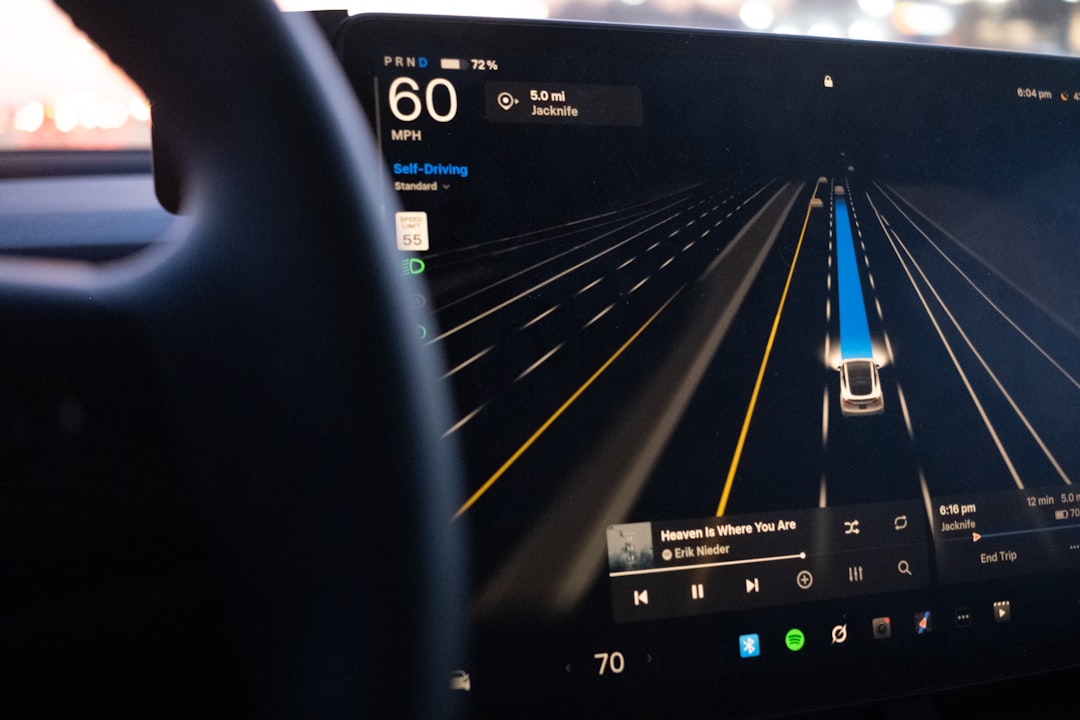
Tesla’s Spring 2026 update brings voice-activated Grock, location-based reminders, enhanced pet mode, music app improvements, and more to HW3 Model Y.
Tesla owners who woke up on April 22, 2026, found their cars packed with new features thanks to the automaker’s latest seasonal update. The Spring 2026 software update (version 2026.14.1) introduces a range of enhancements aimed at improving convenience, functionality, and personalization for users. Here’s a deep dive into the features added to a Tesla Model Y equipped with Hardware 3 (HW3) and the AMD Ryzen chip.
Voice Activation for Grock AI Assistant
One of the standout features in this update is the ability to wake Tesla’s Grock AI assistant hands-free using a simple “Hey Grock” voice command. Previously, enabling Grock required pressing and holding the right scroll wheel. Users can now activate the feature by going into the Grock settings and toggling the voice command on. This addition makes interacting with the AI assistant more seamless and much safer, particularly while driving.
Location-Based Reminders
Another handy capability introduced is location-based reminders. Tesla drivers can now configure reminders that are triggered when they arrive at a specific location. For instance, telling the car, "Remind me to buy bread when I’m in Abington," lets the vehicle pop up a reminder at the set location. During testing, the feature appeared to work even without a preset navigation route.
Pet Mode Gets Personalization
Tesla’s popular pet mode also received an upgrade. Drivers can now input their pet’s name, which will be displayed on the car’s screen when pet mode is active. Further, Tesla added new animations that include cats and even hedgehogs. While adding a hedgehog might seem quirky, this update lets users express their affection for their pets in a playful manner. Pet mode ensures the vehicle maintains a comfortable temperature for animals left in the car.
Streamlined Trips Integration
Tesla has moved trips from being a standalone menu item into the energy app, consolidating related data into one place. While this change wasn’t deeply explored in this update overview, a separate video was promised to discuss its implications in greater detail.
Enhanced Dashcam Viewer
The dashcam viewer received minor tweaks. Drivers can now save clips permanently either on the vehicle or their phones via the in-car app. The dashcam now also displays additional data, including current vehicle speed, steering inputs, and indicator usage. While these are useful enhancements, some users may prefer to review footage directly from the USB drive for the best video quality, as transferring footage to mobile devices often compresses the files.
Music App Queuing and Navigation
This update improved the music experience on Apple Music and Spotify. Users can swipe right on songs to add them to the queue, swipe left to add or remove tracks from their "liked" collection, and tap-and-hold in Apple Music to manage favorites. While the added swiping gestures are useful, some may find existing buttons more intuitive.
Automatic Software Updates
One of the more practical additions is the option to schedule software updates to install automatically overnight. Previously, updates needed to be manually triggered, leaving vehicles out of action during installation. This new feature ensures that users wake up to a fully updated car, minimizing downtime.
Weather Map Improvements
The weather map now includes expanded functionality and visual upgrades. Users can distinguish between various precipitation types—rain, ice, snow, and mixed precipitation—thanks to a new color-coded system. Additionally, the app introduced the ability to rewind the weather timeline, allowing drivers to review past weather data and plan accordingly.
Supercharging Pricing Filter
Tesla introduced a supercharging pricing filter feature designed for users with free supercharging credits. Drivers can now configure their car to avoid superchargers where pricing is independently controlled by third parties. This ensures that Tesla routes the user exclusively to superchargers on the Tesla network offering free or official pricing.
Miscellaneous Updates
Several smaller enhancements were bundled into the update:
- The keyboard language now matches dictation language preferences.
- Interface shortcuts at the bottom of the screen have been made larger.
- The volume control now features a distinctive icon for different media sources, rather than a generic music note.
- Enhanced details in the sketchpad app now include stickers and emojis for budding artists.
- Security improvements were also added, though these were not detailed.
Observations About Hardware Compatibility
The spring 2026 update showcases Tesla’s tradition of continuously enhancing its vehicles via over-the-air software improvements. However, it also highlights the distinction between newer and older hardware. While HW3 cars with the AMD Ryzen chip received the full suite of options, vehicles with older Intel processors missed out on some of these features, including Grock enhancements. As Tesla’s software grows more complex, hardware compatibility is becoming increasingly significant.
Why This Update Matters
Tesla’s ability to roll out new features as free updates reinforces its reputation as a tech-first automaker. Beyond merely keeping its vehicles functional, these updates improve the user experience long after purchase, extending the life cycle and value of each car. With regular seasonal updates, Tesla users can look forward to new tools and refinements every few months.
Looking Ahead
While the Spring 2026 update is comprehensive, several features—like the integration of trips into the energy app—deserve further exploration. Additionally, Tesla owners with older hardware continue to face challenges as their vehicles become less compatible with the latest functionalities. Regardless, the automaker’s commitment to software innovation ensures that Tesla drivers will continue to enjoy a cutting-edge experience going forward.
Staff Writer
Mike covers electric vehicles, autonomous driving, and the automotive industry.
Comments
Loading comments…


