Inside My Desk Setup: High-End Gear That Defines My Workflow
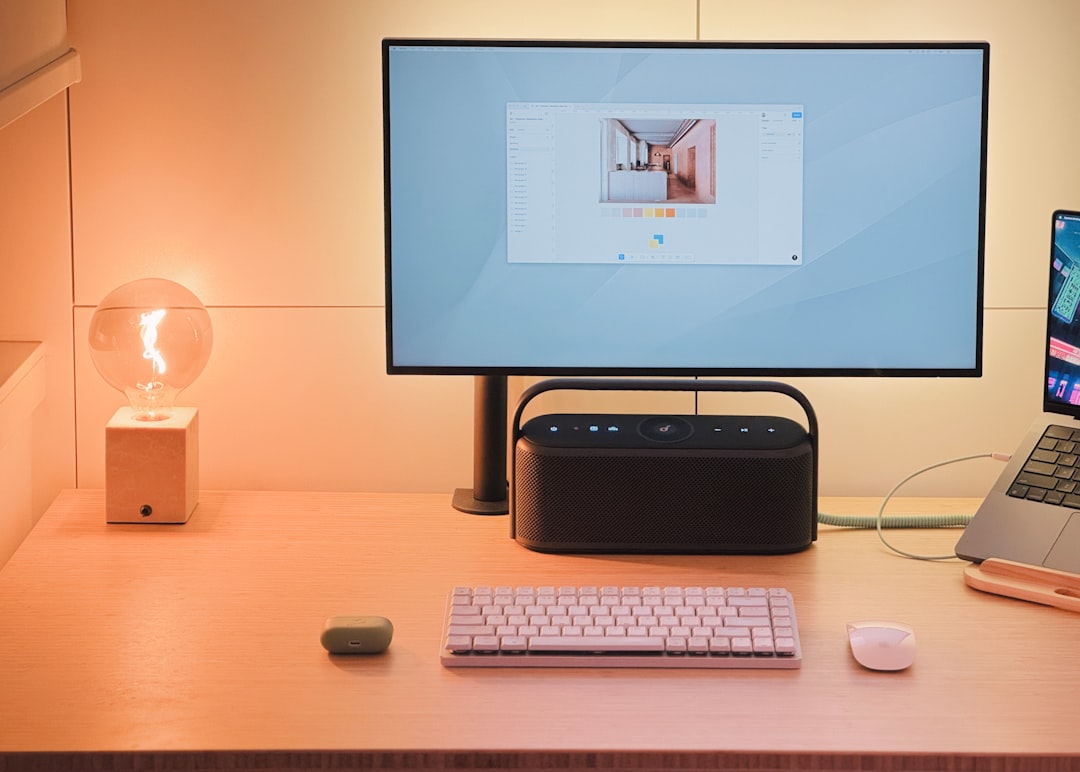
A deep dive into the gear and products that power my desk setup, featuring the Next Desk Air Pro, Herman Miller Embody chair, Mac Pro, Pro Display XDR, and more.
The Desk Setup: What Stands the Test of Time
When it comes to a workspace, the tools we rely on day after day play a major role in how we work, create, and stay productive. In this detailed review, I'll walk you through my complete desk setup — from the furniture to the tech and peripherals that power my workflow. Some pieces have been in use for over a decade, proving their longevity and reliability.
The Foundation: Desk and Chair
Next Desk Air Pro
The desk I use is the Next Desk Air Pro, now branded under the name “Xesk.” This sit-stand desk offers a massive aluminum surface measuring 96 inches wide by 38 inches deep, making it an ideal workspace for multitasking and accommodating heavy gear. Despite its lightweight 1/4-inch-thick frame, the surface is remarkably durable and stable. Even with substantial equipment on top, there’s no bending or shaking.
While it still performs exceptionally well after nearly a decade, there is one minor drawback: adjusting the height requires you to hold down the button rather than simply tapping it. That said, this is a small complaint in an otherwise stellar product. Rating: 9/10.
Herman Miller Embody Chair
Comfort is non-negotiable when you spend long hours at a desk. My chair of choice for years has been the Herman Miller Embody, widely recognized as one of the best ergonomic chairs available. It’s fully adjustable and provides unparalleled back support, conforming over time to my body. While it’s undoubtedly an investment, the long-term comfort and durability make it worth every penny. Rating: 10/10.
Computing Power and Displays
Mac Pro (M2 Ultra)
The centerpiece of my setup is the Mac Pro (M2 Ultra Tower), purchased around six years ago for $12,000–$13,000. At the time, it was Apple’s most powerful desktop, boasting 24 CPU cores, a 76-core GPU, 192GB of RAM, and 8TB of storage. I primarily use its PCI expansion capability to house a 64TB OWC SSD for live backups.
However, Apple’s lack of updates to its Mac Pro lineup since the M2 generation leaves it feeling outdated, especially with the release of M3 Macs and looming M5 chips. I’m looking forward to upgrading soon. Rating: 4/10.
Pro Display XDR
My desk features a dual setup of Pro Display XDR monitors. These 32-inch, $5,000 displays come with optional upgrades that bring the total per unit cost to $7,000 when including the $1,000 Nano-Texture finish and $1,000 stand. Their reference-grade color reproduction is essential in my video editing work, although the 60 Hz refresh rate, lack of speakers, and absence of a webcam are limiting for general use. The Nano-Texture finish works wonders in a brightly lit room, but cleaning it is a headache. Rating: 8/10.
Audio Gear
Yamaha HS8 Speakers
The Yamaha HS8s are my reference speakers, and I’ve been using them for years. These active near-field monitors are excellent for video editing, audio mixing, and general music listening. They offer balanced sound and deep bass (down to 40 Hz), eliminating the need for a separate subwoofer. Occasionally, they pick up interference from nearby devices, but their performance and reliability make them staples of my setup. Rating: 9/10.
Sennheiser HD 650 Headphones
The Sennheiser HD 650 headphones have been my go-to for studio work, thanks to their lightweight, comfortable design and excellent sound quality. Their open-back structure allows me to hear external conversations without removing them, which is handy during collaborative editing sessions. While wireless options are tempting, the additional battery weight could compromise their comfort. Rating: 8/10.
Audio Interface
My external DAC (digital-to-analog converter) enhances audio quality but has proven to be the weak link. Frequent software issues and firmware updates make it less reliable than I’d like. While it gets the job done for connecting headphones and speakers, its repeated glitches detract from its value. Rating: 4/10.
Peripherals and Accessories
Rainy 75 Keyboard
The Rainy 75 mechanical keyboard is my most recent peripheral upgrade. It’s lightweight, wireless, and built for Mac-specific workflows. With custom keycaps including an Artisan MKBHD cap, it combines functionality and personalization. Its battery lasts for weeks, and the absence of a numeric keypad keeps it compact. Rating: 8/10.
MX Master 4 Mouse
The MX Master 4, specifically engraved for me, is silent, customizable, and dependable. The inclusion of haptic feedback is a notable improvement, and this version’s finish will likely outlast earlier models. While it’s not a gaming mouse, it excels for productivity tasks on my 60 Hz displays. Rating: 9/10.
Artisan Ninja FX Mousepad
When it comes to mousepads, the Artisan Ninja FX stands out for its textured finish and durability. I use two — one for my mouse and one for other desk items like phones and car keys. Although it wears out roughly every two years, it remains my preferred choice. Rating: 9/10.
Wireless Chargers
I use two wireless chargers: a Belkin 3-in-1 charger for my Apple Watch and phones (Rating: 6/10) and a fast Airvuk charger from OPPO for versatile phone charging (Rating: 8/10). Both are handy but cater to different needs.
Conclusion: Longstanding Loyalty and Logical Upgrades
This desk setup reflects years of refinement, each component selected for its ability to meet specific needs in my workflow. While some products, like the desk and chair, offer decade-long reliability, others are due for an upgrade as technology evolves. In this ever-changing tech landscape, knowing what works for you and what doesn’t is key to building a workspace that maximizes productivity and comfort.
For those wondering about more budget-friendly alternatives, stay tuned — I’ll dive into that in a future comparison. Until then, this setup continues to do what it does best: enable seamless content creation.
Staff Writer
Alex covers consumer electronics, smartphones, and emerging hardware. Previously wrote for PCMag and Wired.
Comments
Loading comments…


