MacBook Neo Review: Affordable, but Is It Worth the Trade-offs?
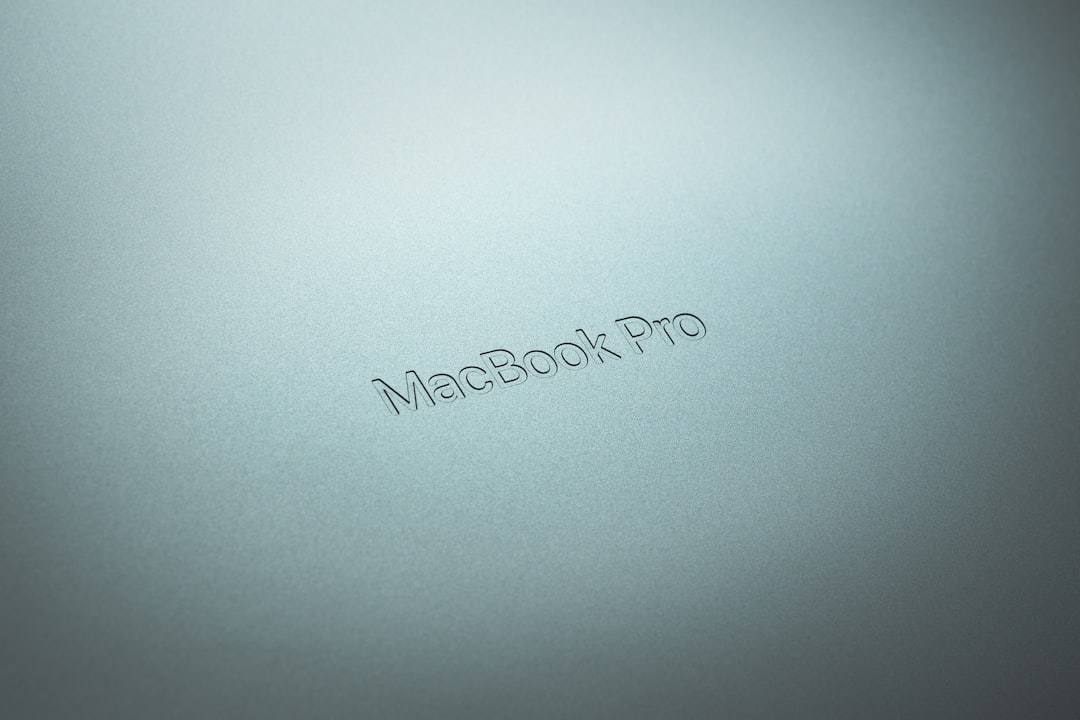
The MacBook Neo is Apple's budget-friendly laptop, offering solid performance for $500. But how does it stack up against the MacBook Air or pricier alternatives?
Apple’s MacBook Neo: A $500 Budget-Friendly Laptop
Apple’s new MacBook Neo introduces a $500 computer aimed at students and budget-conscious buyers. While it boasts Apple’s signature aluminum build and impressive engineering at this price point, it comes with some notable trade-offs. Is this the best option for those looking to join the Mac ecosystem, or does it fall short?
Design and Build Quality
The MacBook Neo is crafted from aluminum, a rarity among laptops in its price range. The one-hand openable hinge—a hallmark of quality engineering—is a standout feature. Unlike many budget laptops, the hinge is stable and smooth, a detail often overlooked in devices at this price point. Apple offers the Neo in various colors, including an indigo blue option, paired with matching detailing like color-matched screws and keycaps.
Despite its low price, the Neo shares some aesthetic traits with higher-end MacBooks. However, Apple used a mechanical trackpad rather than their usual haptic mechanism. While less advanced, it’s arguably better than most trackpads on Windows laptops in this price bracket. Still, it’s less responsive than Apple’s haptic versions, occasionally skipping clicks during intense tasks.
Display Quality and Limitations
The Neo features a smaller, 60Hz screen, which offers excellent sRGB color space coverage but lacks the broader P3 gamut found on the MacBook Air. This limitation might not be noticeable for general users, but professionals working in photo or video editing will likely find it lacking. However, for devices in the $500–$600 range, the MacBook Neo’s display is among the best.
Display Specifications:
| Feature | MacBook Neo | MacBook Air |
|---|---|---|
| Size | Smaller than Air | Standard 13.6-inch screen |
| Refresh Rate | 60Hz | 60Hz |
| Color Coverage | sRGB | Full P3 |
| Resolution | Subpar vs. Air | Superior clarity |
Performance for Day-to-Day Tasks
Apple designed the Neo for casual users and students, integrating the same chip architecture as their iPhones. This device delivers solid performance for everyday tasks, such as browsing, email, or light photo editing. The 8GB RAM limit makes it unsuitable for demanding software like Xcode or large video editing projects.
While casual games run admirably, the Neo struggles with intensive games. Tests showed Cyberpunk 2077 running at around 50 FPS on the lowest settings—a result more about the game’s optimization than the Neo’s capabilities. Despite its modest hardware, the Neo is surprisingly competent, benefitting from Apple’s ability to squeeze maximum performance from custom silicon and macOS.
Performance Highlights:
- Strong enough for basic tasks and light creative work
- Casual gaming supported, but demanding titles struggle
- 8GB RAM limitation noticeable during multitasking
Battery Life and Charging
The Neo houses a 36.5Wh battery, which provides decent battery life when used with moderate screen brightness. When brightness is maxed out, battery life takes a noticeable hit, making it less ideal for long study sessions or travel without a charger.
The included 20-watt charger is functional but not ideal. Fortunately, the Neo supports up to 30W charging, though it still takes over an hour to charge fully.
Keyboard, Trackpad, and Audio
Apple’s keyboards are well-regarded, and the Neo is no exception. The typing experience is responsive and comfortable. However, the lack of backlighting—a common feature on more expensive models—feels like a missed opportunity. The mechanical trackpad, although innovative, struggles with rapid clicks, particularly during intricate tasks.
On the audio front, the Neo’s speakers are underwhelming. Apple typically leads the pack in laptop audio, but the Neo’s sound lacks depth and low-end performance. Side-firing speakers create loud output, but fidelity falls short.
Port Selection
The MacBook Neo features a limited array of ports: two USB-C (one USB 3.0, one USB 2.0) and a headphone jack. It lacks MagSafe charging, meaning one USB-C port will frequently be occupied if the device is charging. This limitation restricts connectivity options, particularly if external peripherals or monitors are needed.
| Port | MacBook Neo | MacBook Air |
|---|---|---|
| USB-C (3.0) | 1 | 2 |
| USB-C (2.0) | 1 | 0 |
| Headphone Jack | Yes | Yes |
| MagSafe | No | Yes |
Is the MacBook Neo Worth It?
When priced at $500 (with the education discount), the Neo is arguably the best MacBook option for that budget. It provides an affordable entry point into Apple’s ecosystem, ideal for students and casual users. However, added expenses for additional performance and longevity might make the MacBook Air a better investment.
If you are considering alternatives like the refurbished MacBook Air M4 (16GB RAM, $760) or a premium Windows device like the Yoga Slim 7X, the Neo’s shortcomings become apparent. The Air offers better hardware, more RAM, and higher build quality across the board.
Why Choose the MacBook Air Over the Neo:
- Better screen with P3 color gamut
- More ports, including MagSafe
- 16GB RAM available for long-term usability
- Superior speakers and backlit keyboard
Takeaways on the MacBook Neo
The MacBook Neo fills a specific niche: an affordable MacBook option for students and light users. Its standout aluminum build, color options, and adequate performance make it a solid value at $500. However, its 8GB RAM limit and average future-proofing raise concerns for users needing more versatility.
If your budget cannot stretch beyond $500, the Neo is an excellent choice. However, if you can afford to spend $250–$300 more, upgrading to a refurbished MacBook Air or premium Windows laptop offers significant benefits, both immediately and over the long haul.
FAQ
What is the target audience for the MacBook Neo? The MacBook Neo is designed for students, casual users, and others needing a reliable, affordable entry into the Apple ecosystem.
Can I upgrade the RAM or storage on the MacBook Neo? No, the Neo’s components, including RAM and storage, are soldered onto the motherboard and cannot be upgraded.
How does the MacBook Neo compare to the MacBook Air? The Neo is more affordable but has less RAM, a weaker chip, inferior speakers, and a non-backlit keyboard. The $760 MacBook Air offers greater longevity and better overall performance.
Is the MacBook Neo good for gaming? The Neo can handle casual games but struggles with graphically demanding titles. For intensive gaming, a device with dedicated GPU support would be a better choice.
What is the battery life of the MacBook Neo? The battery lasts for several hours with moderate brightness. Heavy use or higher brightness levels will drain the battery faster, making it less ideal for long periods of system-intensive work.
Staff Writer
Alex covers consumer electronics, smartphones, and emerging hardware. Previously wrote for PCMag and Wired.
Comments
Loading comments…


