Microsoft Surface Laptop with Qualcomm Snapdragon X Elite: A Closer Look at Windows on ARM
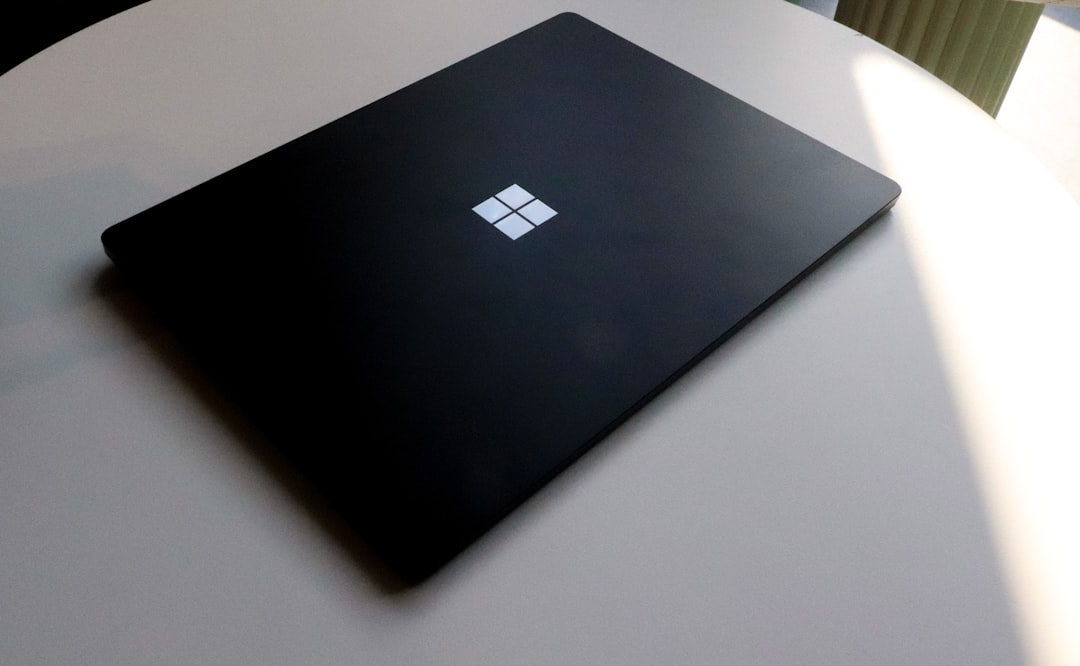
The Surface Laptop with Snapdragon X Elite showcases Microsoft's move to ARM, promising better battery life but with software compatibility trade-offs.
Microsoft has made its latest attempt at revolutionizing Windows laptops with the Surface Laptop powered by Qualcomm's Snapdragon X Elite processor. As one of the first premium Windows ARM laptops, it aims to redefine expectations with exceptional battery life and smooth performance. But does it hold up in a real-world scenario? Here's everything you need to know about the device and whether ARM is finally ready for Windows.
Battery Life: A Game-Changing Leap
One of the highlights of transitioning to the ARM architecture is energy efficiency, and that's where the Surface Laptop with Snapdragon X Elite excels. The laptop promises up to 23 hours of battery life, noticeably more than its Intel-based predecessor’s claimed 19 hours.
While real-world use rarely aligns perfectly with manufacturer claims, the results are impressive. In day-to-day use—web browsing, email, video playback, and research—the device comfortably lasts all day, with around 40% battery remaining by the evening. That even rivals Apple's MacBook Air with M3 in synthetic benchmarks, where the Surface Laptop sometimes outperforms.
For professionals who need their laptop to keep up from sunrise till well past sunset, this makes the Snapdragon X Elite a standout choice in the 14-inch laptop market.
Performance: Smooth but Not for Everyone
At $2,000, the Surface Laptop positions itself as a premium device. While it excels in general performance, the Snapdragon X Elite's multi-core focus may limit its appeal to certain users. Everyday tasks like photo editing in Affinity, working on Microsoft Office, or general productivity run flawlessly. The UI remains smooth across various battery levels, and apps optimized for ARM architecture perform exceptionally well without pushing the laptop to its limits.
However, this isn’t the laptop to chase if high-end gaming or dedicated GPU-heavy workloads are your priority. The Snapdragon X Elite’s built-in GPU matches the philosophy seen in Apple’s ARM lineup: sufficient for light-to-moderate tasks but not designed for gaming titles like "Elden Ring."
For workloads requiring lots of smaller yet efficient cores, the laptop holds up, but power users handling single-thread-intensive software may find performance lacking.
App Compatibility: The Trade-Off of Switching to ARM
While the Surface Laptop's hardware mostly delivers, its software ecosystem reflects the growing pains of ARM adoption on Windows. Just as Apple faced compatibility hurdles during its Intel-to-ARM transition, Windows on ARM is navigating similar challenges. Currently, there are three types of app performance on the platform:
-
Native apps: These run seamlessly on Windows ARM. Popular apps like Photoshop, Lightroom CC, Chrome, Spotify, and Zoom are optimized, providing a snappy experience while conserving battery life.
-
Emulated apps: Apps built for x86 architecture but running via emulation are the middle ground. While functional, they rarely match their native ARM counterparts. For instance, Lightroom Classic and TickTick exhibit noticeable performance drops, with occasional lag and higher power consumption.
-
Incompatible apps: This remains the major hurdle. Some widely-used software doesn’t work on Windows ARM yet. The list of unsupported apps includes Google Drive desktop, VMware, some VPN services, and certain games that rely on anti-cheat systems incompatible with the ARM platform.
Users considering the Surface Laptop or any Windows ARM device must evaluate their software stack beforehand to avoid potential productivity roadblocks.
Design and Build Quality: A Premium Feel
Microsoft has long been lauded for the design quality of its Surface lineup, and the Surface Laptop is no exception. The matte black, all-metal build radiates sophistication. Its sturdy keyboard offers excellent tactile feedback, while the expansive haptic trackpad ensures smooth navigation.
The laptop features a 2304x1536, 120Hz LCD touchscreen with a 3:2 aspect ratio. While the high refresh rate enhances usability, the lack of an OLED option is a noticeable downside, especially at this premium price point. Deep blacks and high contrast from an OLED panel would enhance media consumption significantly, making this a missed opportunity for such an otherwise premium laptop.
Ports include:
- 1 USB-A
- 2 USB-C
- 1 headphone jack
While not groundbreaking, the selection caters to most users, though an additional USB-C or Thunderbolt 4 port would have been welcome at this price tier.
Unique Features: AI Co-Pilot Integration
One standout feature is the device’s AI copilot integration, supported by an NPU (Neural Processing Unit) in the Snapdragon X Elite. This enables AI-driven functions like video call enhancements (e.g., artificial eye contact) and allows users to access Microsoft Copilot with the dedicated keyboard button.
While this feature may not sway purchasing decisions, it signals Microsoft’s growing focus on AI-driven computing platforms, which could become more significant as the ecosystem develops.
How Does the Surface Laptop Compare?
| Feature | Surface Laptop 5 (Intel) | Surface Laptop (Snapdragon X Elite) | Apple MacBook Air M3 |
|---|---|---|---|
| Processor | Intel Core i5/i7 | Qualcomm Snapdragon X Elite | Apple M3 (ARM) |
| Battery Life (Claimed) | 19 hours | 23 hours | 22 hours |
| Display | 3:2 LCD (60Hz) | 3:2 LCD (120Hz) | Liquid Retina (60Hz) |
| Price (Base) | $999 | $2,000 | $1,599 |
| Ports | USB-A, USB-C | USB-A, USB-C | 2 Thunderbolt/USB-C |
| App Compatibility | Full | Limited (ARM ecosystem issues) | Full |
Practical Takeaways
- If battery life is your top priority, the Surface Laptop's 23-hour claim can match or surpass competitors in the same segment.
- Windows on ARM shows potential, but app compatibility remains inconsistent. Carefully evaluate your essential software for native or emulated ARM support.
- While excellent for productivity and multimedia tasks, the laptop isn’t ideal for heavy-duty gamers or single-threaded performance-heavy workflows.
- Build quality is exceptional, but the lack of an OLED display at this price is disappointing.
- Microsoft's focus on integrating AI with features like Copilot provides incremental, but not yet transformative, value.
Final Verdict
The Surface Laptop with Snapdragon X Elite presents a compelling case for Windows on ARM, especially for users seeking excellent battery life and portability. However, early adopters should tread carefully and ensure that their favorite apps work well in this new ecosystem. With software compatibility still lingering as a concern, this first step signals progress, but time will determine if Windows ARM laptops can fully rival Apple’s M-series machines.
Whether this device suits you boils down to one question: Do the apps you depend on perform reliably on Windows ARM? If they do, this laptop is a powerful option worth considering.
Staff Writer
Alex covers consumer electronics, smartphones, and emerging hardware. Previously wrote for PCMag and Wired.
Comments
Loading comments…


